Accept Apple Pay Fast for Small Businesses: Tap to Pay, NFC, Free Hardware
Accept Apple Pay Fast for Small Businesses: Tap to Pay, NFC, Free Hardware
You can accept Apple Pay today two ways: turn a supported iPhone into a contactless reader with Tap to Pay, or use any NFC-capable terminal, both paired with a payment processor that supports Apple Pay. Online, most gateways and shopping cart platforms let you switch it on with a setting, not custom code. Pick your processor first, confirm Tap to Pay or terminal support, then run a test transaction before you open your doors.
TL;DR:
- Most contactless terminals already support Apple Pay without additional setup, provided they display the contactless symbol and are PCI-approved.
- Choosing a processor that natively supports Tap to Pay and online Apple Pay support simplifies onboarding and reduces setup time.
- Using Tap to Pay on iPhone requires an eligible device, a supported payment app, and confirmation that the processor manages certification and settlement processes.
- A managed onboarding service streamlines all setup steps, including hardware, platform configurations, and support, saving time over DIY installation.
- Accepting Apple Pay usually involves standard processing fees between 2.5% and 5.0%, with no extra charges from Apple.
Table of Contents
- How Do You Accept Apple Pay Right Now?
- How Does Tap to Pay on iPhone Work?
- Should You Use an NFC Terminal Instead of Tap to Pay?
- How Do You Choose a Processor That Supports Apple Pay?
- How Do You Enable Apple Pay for Online Checkout?
- What Security and PCI Rules Apply to Apple Pay?
- What Do You Do When Apple Pay Fails at Checkout?
- Why a Managed Onboarding Path Beats DIY Setup
- Get Apple Pay Running Without the Setup Headache
- Where to Verify the Technical Details
- Sources
- FAQ
How Do You Accept Apple Pay Right Now?
Getting Apple Pay live doesn’t require weeks of setup if you follow the sequence in the correct order.
- Choose a payment processor that supports Apple Pay and Tap to Pay on iPhone. Not every processor has built the integration, so confirm before you sign anything.
- Pick your in-person method. Use Tap to Pay if you already carry an eligible iPhone, or buy an NFC-capable terminal if you want dedicated hardware at the counter.
- Turn on Apple Pay for your online checkout. Most hosted platforms handle this with an Apple Merchant ID and certificate setup behind the scenes; ask your gateway what’s required on your end.
- Train your team and post signage. A simple “we accept Apple Pay” decal at the register cuts down on customer confusion at checkout.
- Run a live test transaction before you rely on it during business hours.
Most of the “why isn’t this working” calls into support desks trace back to skipping step 4. Customers still ask if you take Apple Pay even when the terminal clearly supports it, because nothing at the counter tells them so.
How Does Tap to Pay on iPhone Work?
Tap to Pay turns a compatible iPhone into a point-of-sale reader. It accepts contactless credit and debit cards, Apple Pay, Apple Watch, and other digital wallets without a separate card reader attached.
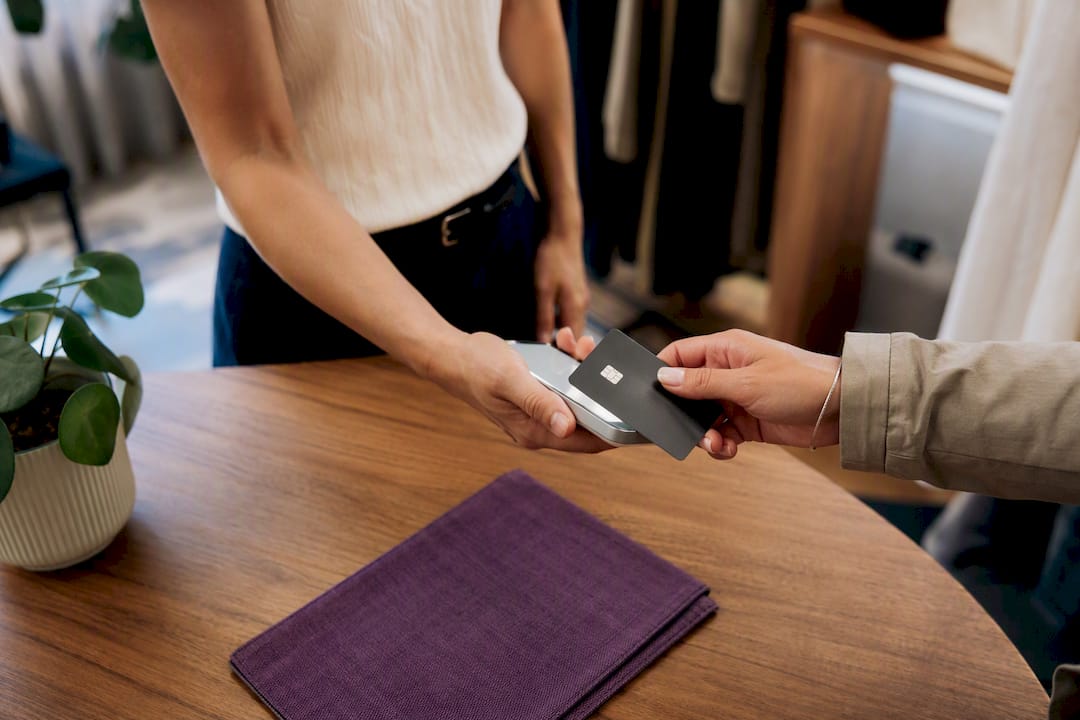
You need an eligible iPhone running a current iOS version and a payment app from a supported processor. Apple doesn’t process the transaction itself. Your payment service provider handles that through the ProximityReader API, including certification and fraud checks on the back end. Before you can use it commercially, you also have to accept Apple’s Tap to Pay terms as a qualified merchant, which spell out that Apple provides the platform while your processor owns the actual payment processing.
At checkout, the customer taps their phone, card, or watch near the top of your iPhone. They authenticate with Face ID, Touch ID, or a double click on Apple Watch, and the sale completes in seconds. No PIN pad, no separate terminal to charge overnight.
- Works with an eligible iPhone and a supported payment app
- No extra hardware purchase required
- Customer authenticates on their own device, not yours
- Your processor manages certification and settlement
Pro Tip: Test Tap to Pay during a slow shift first. Staff who practice the tap-and-authenticate flow once rarely fumble it in front of a real customer.
Should You Use an NFC Terminal Instead of Tap to Pay?
Most contactless-capable card readers accept Apple Pay automatically. There’s no separate “turn on Apple Pay” switch on the hardware side. If the terminal accepts a contactless tap, it already accepts Apple Pay and other wallets right alongside chip and swipe cards.
Look for the contactless symbol, the four curved lines, on the reader, and confirm the device is on a PCI-approved terminal list before you buy.
- Keep a dedicated terminal if you need a stable countertop setup, offline transaction modes, or integrated PIN entry for debit cards.
- Switch to Tap to Pay if you run pop-ups, do line-busting during rushes, or want to avoid buying extra hardware.
- Check connectivity and battery life before committing, especially for mobile terminals used outdoors or at events.
- Compare devices like the ones covered in this Ingenico terminal review if you’re weighing countertop versus mobile hardware.
Neither option locks you in. Plenty of businesses run a countertop terminal for the register and Tap to Pay on a manager’s phone for curbside or table-side sales.
How Do You Choose a Processor That Supports Apple Pay?
The processor you pick determines almost everything downstream, from how fast you go live to how much you rely on developers.
Ask a few direct questions before signing: Does the processor support Tap to Pay natively, or only third-party terminals? Who generates your Apple Merchant ID and certificates for online sales, you or them? Does the plan include free or discounted hardware, and what happens if a terminal fails? Accepting Apple Pay usually doesn’t add a separate Apple fee; you pay your processor’s standard card processing rate, typically in the 2.5–5.0% range depending on your industry and card mix.
- Confirm Tap to Pay and online Apple Pay support in writing, not just marketing copy.
- Ask who owns certificate management and PCI scope reduction.
- Compare onboarding timelines. Some processors take days, others take weeks.
- Check whether hardware is included, financed, or a separate purchase.
Merchant Solutions Corp handles this differently by managing onboarding end to end. Its payment processing programs include free hardware options, dual pricing to offset fees, and industry-specific setups for businesses that standard processors often turn away, including high-risk retailers.
Pro Tip: If a processor can’t clearly explain who manages your Apple Merchant ID, that’s a sign onboarding will fall on you, not them.
How Do You Enable Apple Pay for Online Checkout?
Getting Apple Pay working online involves a few technical steps, though most small businesses skip nearly all of them.
- Register an Apple Merchant ID through Apple’s developer tools.
- Generate and upload Apple Pay certificates to your payment gateway.
- Enable Apple Pay as a payment method inside your gateway or shopping cart settings.
- Run a test purchase using a real Apple Pay-enabled device before launch.
Hosted platforms often handle certificate management for you, so you’re really just flipping a setting rather than touching code. You’ll only need a developer for custom-built checkouts or apps that call Apple’s PaymentRequest APIs directly, where merchant validation has to be coded manually.
What Security and PCI Rules Apply to Apple Pay?
Apple Pay’s tokenization replaces your customer’s actual card number with a one-time code for each transaction, which sharply cuts your exposure to stolen card data. That doesn’t erase your PCI responsibilities. Merchants still need to follow PCI guidance around device security, network protection, and how payment apps are configured.
- Use PCI-validated terminals or a processor that actively reduces your PCI scope.
- Never store raw card data on your own systems.
- Lock down who has access to your POS devices and network.
- Consult the PCI Small Merchant Guide or a Qualified Integrator/Reseller for setups outside standard hardware.
Processors that manage certificate handling and tokenization on your behalf, rather than leaving it to you, meaningfully shrink your compliance workload. That’s one reason PCI guidance points small merchants toward PSP-managed setups instead of building PCI controls from scratch.
What Do You Do When Apple Pay Fails at Checkout?
Most Apple Pay failures at the register have simple fixes, and staff can usually resolve them without calling support.
- Ask the customer to unlock their phone and hold it steady near the tap zone for a full second.
- Confirm the card is actually loaded in Apple Wallet, not just physically in their pocket.
- Update your payment app if transactions have been failing across multiple customers, not just one.
- Restart the terminal or iPhone if the reader stops responding entirely.
- Fall back to keyed entry or a second terminal if contactless won’t process, and log the details for your processor’s support team.
Why a Managed Onboarding Path Beats DIY Setup
Handling Tap to Pay, terminal certification, and online Apple Pay separately eats hours most owners don’t have. A managed setup cuts that down to one point of contact for hardware, gateway settings, and support after launch. Merchant Solutions Corp’s free hardware programs and industry-specific configurations exist because generic setups don’t fit every business, and owners shouldn’t have to figure that out alone.
— Jonathan
Get Apple Pay Running Without the Setup Headache
Merchant Solutions Corp gets you accepting Apple Pay faster than piecing together a processor, a terminal vendor, and a developer separately, because one team handles all three. That includes payment processing, POS hardware, mobile terminals, and free hardware programs with $0 upfront options in many cases, all configured before the equipment reaches you.
Onboarding support covers the parts owners find most confusing: which terminals are PCI-approved, how Apple Merchant IDs get created for your website, and how dual pricing can offset processing costs. Whether you run a restaurant counter, a retail floor, or a specialty business that other processors turn down, the setup path stays the same: apply, get approved, and start accepting Apple Pay with equipment that’s ready on day one.
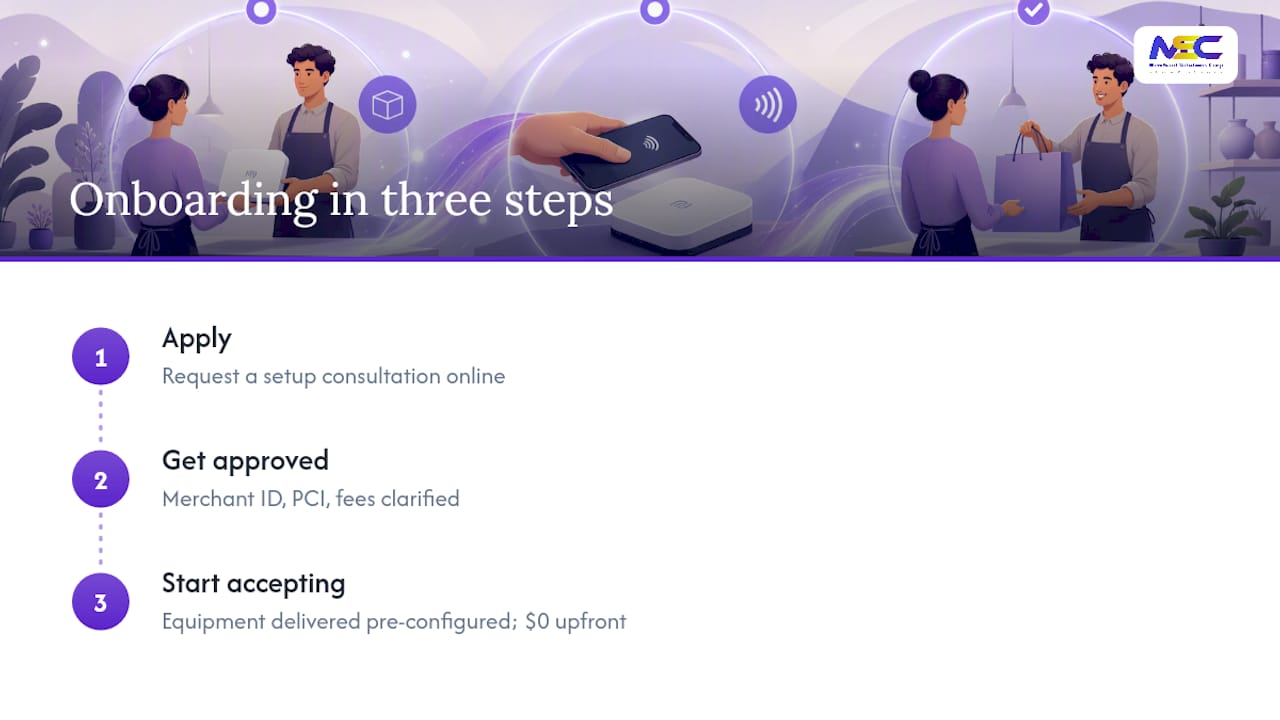
Ready to see what that looks like for your business? Visit Merchant Solutions Corp’s payment processing page to request a setup consultation and get a straight answer on hardware, fees, and timeline.
Where to Verify the Technical Details
- Apple’s Tap to Pay developer documentation covers device eligibility and entitlement requirements directly from Apple.
- The PCI Small Merchant Guide explains compliance basics for smaller operations.
- NerdWallet’s small business walkthrough offers a plain-language setup comparison.
Sources
- Tap to Pay on iPhone - Apple Developer
- Small Merchant Guide to Safe Payments - PCI Security Standards Council
- How to Accept Apple Pay: A 2026 small business guide - NerdWallet
- How to Accept Apple Pay: A 5-step guide - FitSmallBusiness
FAQ
How Do I Accept an Apple Pay Payment?
Use Tap to Pay on an eligible iPhone with a supported payment app, or an NFC-capable terminal, then confirm your processor supports Apple Pay before your first transaction.
Why Can’t I Accept Apple Pay at My Business?
Usually it’s because your processor or app doesn’t support Tap to Pay or contactless payments yet, not because of anything wrong with your hardware; confirm support with your processor directly.
Can I Accept Apple Pay Without an iPhone?
Yes. Any NFC-capable, PCI-approved terminal accepts Apple Pay automatically alongside contactless cards, no iPhone required.
How Long Does It Take to Start Accepting Apple Pay?
In-person acceptance can go live quickly once your processor confirms Tap to Pay or terminal support; online integration through a hosted platform is often just as fast since certificates are handled for you.
Does Accepting Apple Pay Cost Extra?
Typically no. You pay your processor’s standard card processing rate, generally in the 2.5–5.0% range, without an added Apple fee on top.