Online Ordering for Salons: Integrated POS & Payments
Online Ordering for Salons: Integrated POS & Payments
The fastest path to profitable online ordering for salons is a single integrated system that connects your POS, booking, payments, inventory, and CRM in real time. Patching together separate apps creates data silos, doubles your admin work, and leaves money on the table after hours. The right setup runs your booking link 24/7, syncs retail inventory automatically, and captures deposits at checkout so clients show up.
Key outcomes you can expect from a properly integrated system:
- Fewer no-shows: Automated reminders can reduce no-shows by up to 40%, and booking deposits can cut them by up to 65%.
- Higher retail attach rates: Clients who purchase retail products from their salon are three times more likely to return for future services.
- After-hours bookings: A live booking link captures client intent when your phones are off.
Pro Tip: Merchantsolutionscorp configures integrated salon POS and payment systems with $0-upfront hardware programs and hands-on onboarding support, so you go live without a large capital outlay.
Table of Contents
- Why does online booking actually move the needle for salons?
- Must-have features for salon online ordering
- How do you choose the right system for your salon?
- What does a realistic launch timeline look like?
- What should you budget for online ordering?
- What do salon owners need to know about PCI compliance?
- Common mistakes salons make when going online
- How Merchantsolutionscorp meets salon online-ordering needs
- Key Takeaways
- The case for going all-in on integration
- Merchantsolutionscorp makes the transition straightforward
- Useful sources and further reading
- FAQ
Why does online booking actually move the needle for salons?
94% of clients prefer service providers that offer online booking, and 82% of salon bookings happen on mobile devices. Those numbers alone make beauty service booking online a baseline expectation, not a differentiator.
The business case goes deeper than convenience. Online booking functions as a 24/7 sales channel that captures intent when it is highest, including Sunday evenings when your doors are closed and your competitors’ phones go to voicemail. Clients who would never call back will book in under 90 seconds from an Instagram link.
- Retention through retail: Integrated e-commerce tied to services drives repeat visits. Clients who buy recommended products are significantly more likely to return.
- Staff time savings: Owners typically spend 15+ hours per week on phone-based booking admin before automation. Shifting to self-service frees front-desk staff to focus on hospitality and retail upsell instead.
- No-show reduction: Online bookings show about 49% lower no-show rates versus phone bookings, according to SimpleSalon data.
Stat to know: Booking deposits can cut no-shows by up to 65%. Configuring even a modest deposit for new clients and high-value services pays for itself quickly.
Must-have features for salon online ordering
Not every booking tool is built for salons. When evaluating hair salon online services platforms, score each vendor against this feature checklist before you commit.
Scheduling and booking:
- Real-time calendar sync by staff member, chair, and room, with no double-booking risk
- Mobile-optimized booking link that requires no app download from the client
- Service duration buffers, multi-service bundles, and package support
Retail e-commerce:
- Integrated online store linked directly to in-store inventory SKUs
- Digital Prescription capability: stylists build product carts sent to the client’s phone, reducing sales friction and raising repeat visits
- Buy-online / pickup-in-store and shipping fulfillment options
Payments:
- Card-on-file, partial or full deposits, and prepay options at checkout
- Support for card-present and eCommerce transactions, plus ACH/eCheck
- PCI-compliant tokenization so card data never touches your local system
POS and CRM sync:
- One unified client record with purchase history, loyalty points, and gift card balance
- Automated rebooking prompts and marketing triggers based on visit history
Pro Tip: Real-time inventory sync is non-negotiable. Without it, you risk selling out-of-stock retail items online and spending hours reconciling discrepancies manually.

How do you choose the right system for your salon?
Start with an integration checklist, then use vendor calls to pressure-test the answers.
Checklist before vendor conversations:
- Does the platform connect POS, booking, payments, and inventory natively, or through third-party connectors?
- Is the calendar sync truly real-time, or does it batch-update on a delay?
- What are the contract terms, and is there a month-to-month option?
- Are $0-upfront hardware programs available, and who owns the device?
Questions to ask every vendor:
- Who owns the card-on-file tokens if you switch processors?
- What is the onboarding timeline, and is configuration support included?
- What is the support SLA for payment failures during business hours?
- How does the platform handle chargebacks, and who absorbs dispute fees?
- Can you export your full client and transaction data at any time?
Red flags to walk away from:
- Vendor bundles booking and payments through separate siloed tools with no native sync
- No real-time inventory sync for online retail SKUs
- Opaque processing fee structures with no written rate schedule
- Vendor refuses to clarify PCI scope or who manages tokenization
- Hardware lead times longer than two weeks with no loaner option
Pro Tip: Run a multi-stylist scenario during your demo: book two clients for the same stylist at overlapping times and try to purchase an out-of-stock retail item. How the system responds tells you more than any sales deck.
What does a realistic launch timeline look like?
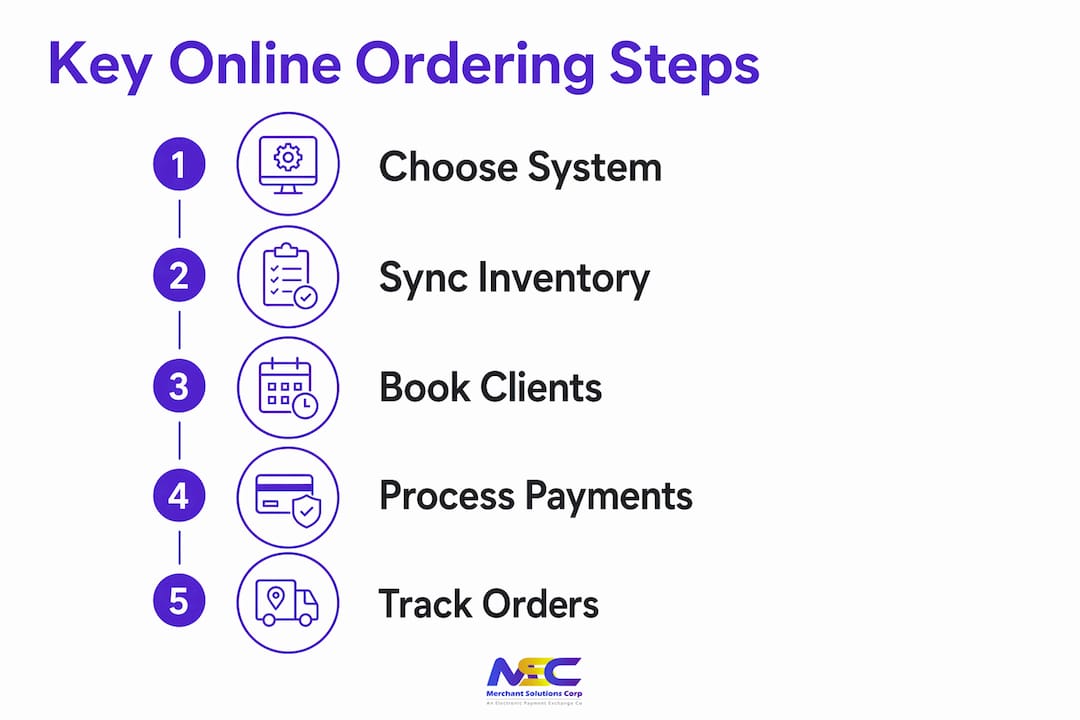
An easy salon order system goes live in four to six weeks when the process is structured. Here is the phase-by-phase breakdown.
- Phase 0: Discovery (Days 1–5). Map your services, staff calendars, inventory SKUs, and desired payment flows. Decide which services require deposits and at what percentage.
- Phase 1: Configure (Days 6–14). Set service durations, staff assignments, product SKUs, tax rules, and payment gateway settings. Connect your booking link to your website and Google Business Profile.
- Phase 2: Test and train (Days 15–21). Run internal test bookings and payments. Train front-desk staff and stylists on the new flow. Build runbooks for common scenarios: cancellations, refunds, and gift card redemptions.
- Phase 3: Soft launch (Days 22–28). Open booking to a limited client group. Monitor inventory sync, no-show rates, and refund flows. Adjust deposit rules and reminder timing based on real data.
- Phase 4: Full launch (Days 29+). Promote your booking link across Google Business Profile, Instagram, and email. Track no-show rates, retail attach rates, and after-hours booking volume weekly.
Pro Tip: Collecting a deposit or holding card details at booking time dramatically improves client commitment. Configure deposits by service value: higher-ticket services warrant a larger upfront percentage.
What should you budget for online ordering?
Costs break into three categories: processing fees, software subscriptions, and hardware.
- Processing fees: Card-present transactions typically run in a lower range than eCommerce transactions. Expect ranges broadly between 2.5% and 5.0% depending on card type, transaction method, and whether you qualify for a dual-pricing or cash discount program.
- Software subscriptions: Booking and e-commerce platforms charge monthly fees that vary by feature tier. Add-ons for inventory sync, loyalty programs, and automated marketing each carry incremental costs.
- Hardware and setup: $0-upfront hardware programs eliminate the capital barrier. Confirm who owns the device, who handles repairs, and whether a replacement unit ships same-day if hardware fails.
Cost-reduction levers worth negotiating:
- Dual pricing and cash discount programs shift processing costs to card-paying clients, reducing your effective rate
- Bundled POS, booking, and payments from one provider avoids per-integration fees that stack up fast
- Onboarding credits or waived setup fees are often available when you commit to a full integrated stack
Stat to know: Automated reminders alone can reduce no-shows by up to 40%, which directly protects revenue without adding cost.
What do salon owners need to know about PCI compliance?
PCI DSS compliance is the payment card industry’s data security standard. For salon owners, the practical question is simple: does your vendor reduce your PCI burden, or add to it?
- Tokenization: Confirm that card-on-file tokens are stored by the payments processor, not in a local spreadsheet or your POS database. Tokens replace actual card numbers, so a breach at your location exposes nothing usable.
- Hosted checkout: A hosted payment page means sensitive card data never passes through your system. Your PCI scope shrinks considerably.
- Data handling: Ask vendors about encryption at rest and in transit, client data retention policies, and breach notification procedures.
- Chargebacks: Understand who provides dispute support and whether chargeback fees are absorbed by the processor or passed to you.
Pro Tip: Ask your processor directly: “Does your tokenization solution reduce my PCI scope to SAQ A?” A processor who cannot answer that question clearly is a risk.
Common mistakes salons make when going online
Most implementation failures trace back to four avoidable errors.
- Patching together disparate apps. Separate booking, POS, and payment tools create data silos. Client records split across systems, inventory counts drift, and staff spend time reconciling instead of serving clients. Fix: prioritize a single integrated system from the start.
- Skipping real-time inventory sync. Selling an out-of-stock product online damages client trust and creates refund work. Require live inventory sync as a non-negotiable feature before signing any contract.
- Complicated booking flows. Mandatory app downloads and multi-step forms kill conversions. A fast, web-based, mobile-first booking link with no login requirement is the standard clients expect.
- Weak staff training. Technology only works when your team knows how to use it. Schedule hands-on training sessions and create written runbooks for cancellations, refunds, and gift card redemptions before go-live.
Pro Tip: Test your own booking flow from a client’s perspective on a mobile phone. If it takes more than four taps to confirm an appointment, simplify it.
How Merchantsolutionscorp meets salon online-ordering needs
Merchantsolutionscorp connects POS, booking, payments, inventory, loyalty, and gift cards into one configured stack for U.S. salons. The table below maps core salon requirements to what the platform delivers.
| Salon requirement | Merchantsolutionscorp capability |
|---|---|
| Real-time booking and calendar sync | Integrated POS with salon scheduling support, including DaySmart Salon compatibility |
| Card-on-file, deposits, and prepay | Card-present and eCommerce gateways with tokenization and ACH/eCheck support |
| Retail e-commerce and inventory sync | Retail payment solutions with online and in-store inventory integration |
| Loyalty, gift cards, and CRM | Loyalty and rewards software bundled with POS configurations |
| $0-upfront hardware | Free hardware programs with Clover, Square, and other terminals |
| Dual pricing for cost control | Cash discount and dual-pricing programs to offset processing fees |
| Onboarding and ongoing support | Configuration support from discovery through daily operations |
| Specialty and high-risk setups | Industry-specific configurations for non-traditional salon revenue models |
Merchantsolutionscorp supports single-location salons, multi-stylist schedules, and specialty setups. The salon and spa solutions page covers industry-specific configurations in detail.
Pro Tip: Ask about $0-upfront hardware programs when you request a quote. Merchantsolutionscorp’s free hardware options let you launch a fully configured POS and payment system without a large upfront investment.
Key Takeaways
An integrated POS, booking, and payments system is the single most effective way to reduce no-shows, grow retail revenue, and capture after-hours bookings for your salon.
| Point | Details |
|---|---|
| Integration beats patchwork | A single system connecting POS, booking, payments, and inventory eliminates data silos and admin overhead. |
| Deposits cut no-shows sharply | Booking deposits can reduce no-shows by up to 65%; configure them by service value and client type. |
| Retail drives retention | Clients who buy salon products are three times more likely to return for future services. |
| PCI tokenization is required | Card-on-file tokens must be stored by the processor, not locally, to limit your PCI scope. |
| Merchantsolutionscorp delivers the stack | Merchantsolutionscorp offers integrated POS, payments, loyalty, and $0-upfront hardware for U.S. salons. |
The case for going all-in on integration
The conventional wisdom in salon tech is to pick the best booking app, the best POS, and the best payment processor separately, then connect them with integrations. That approach sounds flexible. In practice, it creates three separate data sources, three support queues, and three billing relationships, and the integrations break at the worst possible times.
The salons that see the strongest retention gains are the ones that treat their tech stack as a single system rather than a collection of tools. When a client’s purchase history, loyalty balance, and upcoming appointment all live in one record, your staff can have a genuinely informed conversation at checkout. That is what drives the retail attach rates and rebooking numbers that justify the investment.
The other underrated factor is support. When something breaks on a Saturday afternoon, you need one phone number, not three. Choosing a provider like Merchantsolutionscorp that handles POS, payments, and onboarding under one roof means your support call goes to someone who can actually see the whole picture.
Merchantsolutionscorp makes the transition straightforward
Salon owners who want integrated online ordering without a long procurement process have a direct path with Merchantsolutionscorp. The platform covers payment processing and POS in one contract, with $0-upfront hardware programs that remove the capital barrier. Dual-pricing options keep your effective processing cost low, and onboarding support means your team is configured and trained before you go live, not after.
To get started: request a tailored quote that bundles booking, POS, and payments together. Choose your hardware program, including $0-upfront options where applicable. Schedule your onboarding session and go live in four to six weeks.
Visit Merchantsolutionscorp POS systems to compare hardware options, or request pricing directly for a salon-specific configuration.
Useful sources and further reading
- Online Booking ROI: The Statistics Every Salon Owner Needs to See — SimpleSalon: no-show reduction data, mobile booking rates, and staff time savings
- The Salon Product Economy: How to Build a 24/7 E-Commerce Revenue Machine — Nick Mirabella: retail retention multiplier and Digital Prescription approach
- How to Set Up Salon Online Booking — Deelo.ai: integration-first implementation guidance
- Online Payment for Bookings: Complete Integration Guide — JavisTab: deposit strategy and payment gateway setup
- Online Orders — BookingPro.ai: real-time inventory sync requirements
- Merchantsolutionscorp Salon and Spa Payment Processing — card-on-file, deposits, and salon-specific processing features
- Merchantsolutionscorp POS Overview — hardware options, onboarding, and integrated POS capabilities
FAQ
What is the best online ordering system for salons?
The best system integrates POS, booking, payments, and inventory in one platform. Merchantsolutionscorp offers a configured stack for U.S. salons with $0-upfront hardware and dual-pricing options.
How much do online booking and ordering tools cost for a salon?
Processing fees typically range from 2.5% to 5.0% depending on transaction type, with monthly software subscription fees varying by feature tier. Bundling POS, booking, and payments from one provider reduces total cost.
How do deposits reduce no-shows for salon appointments?
Collecting a deposit or holding card details at booking time gives clients financial commitment to their appointment. Booking deposits can cut no-shows by up to 65%, according to industry data.
Do clients need to download an app to book online?
No. A web-based, mobile-optimized booking link lets clients self-schedule in a few taps from any browser, with no app download required.
How long does it take to launch online ordering for a salon?
A structured implementation runs four to six weeks, covering discovery, configuration, staff training, a soft launch, and full promotion of the booking link.