Top 6 Online Ordering POS Comparison Alternatives 2026
Top 6 Online Ordering POS Comparison Alternatives 2026
Choosing an online ordering and POS system for your business often means juggling separate vendors, hardware, and payment contracts. Most available options split installation, payments, and support across different platforms, which causes troubleshooting delays and extra setup work. These six alternatives highlight bundled solutions so managers can select one that reduces complexity and accelerates payment acceptance.
Table of Contents
- Merchant Solutions & POS Systems
- Signature Systems PDQ POS
- Clorder
- abcPOS
- Toast POS
- Lavu
- Comparison of alternatives
Merchant Solutions & POS Systems
At a Glance
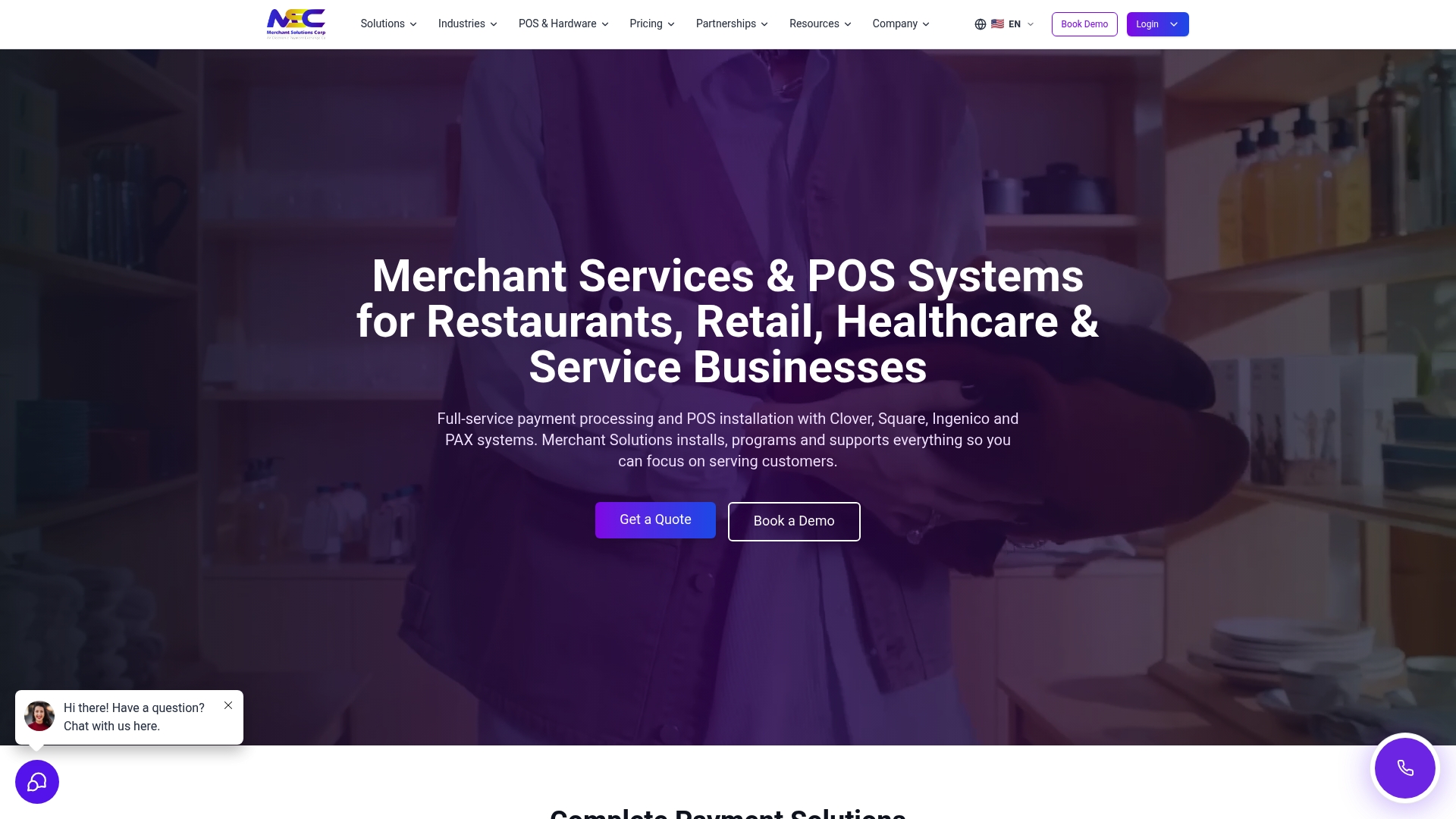
Offers free hardware programs with $0 upfront options for qualified merchants across the US, Canada, and the UK. The company pairs POS installation with payment processing and funding to help merchants start accepting payments quickly. That mix targets restaurants, retail shops, healthcare practices, and service businesses.
Core Features
Merchant Solutions bundles credit card and ACH processing with POS installation and support for popular terminals and systems. The platform supports Clover, Square, Ingenico, PAX, Exatouch, Skytab, and Talech while adding online ordering, kiosks, and kitchen display systems. The service also includes ATM placement and multiple funding paths such as business loans and merchant cash advances.
Key Differentiator
The standout capability is industry specific POS setups combined with financing and hardware placement nationwide. Merchant Solutions configures systems for restaurants, retail, and healthcare with on site installation available in major US metros. That tight coupling of hardware, payments, and funding shortens the time from application to live payments.
Pros
Offers industry tailored POS systems that match restaurant, retail, and healthcare workflows, which reduces configuration work when you deploy. Flexible funding options let merchants choose same day or next day funding and higher risk funding tiers when needed. Nationwide coverage, free hardware programs for qualified merchants, and 24/7 US based technical help support daily operations.
Cons
- Third party reviews suggest varying levels of customer support satisfaction.
Notable Integrations
- Clover POS
- Square POS
- Authorize.net
- WooCommerce
- Shopify
- QuickBooks
- Xero
Who It’s For
Small to medium sized restaurants, retail stores, healthcare providers, and service businesses that need an end to end payments and POS partner. Merchants who want hardware installed and configured on site benefit from the on site installation option. Businesses seeking financing alongside payments also match this offering.
Unique Value Proposition
Merchants can apply, get approved, and start accepting payments with fully configured equipment and onboarding support from the company. That setup reduces the number of vendors you manage because hardware, payments, and funding sit under one contract. For businesses with tight cash flow, the combination of hardware placement and funding shortens the time to revenue.
Real World Use Case
A Miami restaurant received a Clover POS install, set up online ordering and in person payments, and used dual pricing to offset card fees. The restaurant also accessed same day funding to cover payroll and inventory between busy weekends. The bundled install and funding kept the restaurant operational during a seasonal ramp.
Pricing
Pricing varies by services, hardware, and processing model and requires a custom quote from sales. Contracts and terms depend on qualification and selected funding options. Merchants should request a detailed quote that lists hardware placement, processing fees, and any required contract terms.
Website: https://merchantsolutionscorp.com
Signature Systems PDQ POS

At a Glance
Signature Systems reports more than 35 years of experience and claims thousands of clients across hospitality and gaming. That longevity shows up in product depth and a long roster of industry features. The company emphasizes rapid support and enterprise reporting for multiunit operators.
Core Features
PDQ POS combines an all-in-one tablet POS with mobile and kiosk hardware to cover front counter, drive-thru, and self-serve flows. The system includes a cloud-based customer data management reporting suite and a full delivery toolkit with driver mapping and online ordering tie-ins. PDQ also offers contactless tenders, built-in loyalty and rewards, integrated digital menu boards, secure fingerprint login, and the PDQ Security platform.
Key Differentiator
Signature Systems stands out for its fast support and deep third-party integrations tailored to hospitality and gaming. That focus makes the product more implementation-friendly for casinos, quick service chains, and multiunit restaurants than typical single-location POS systems. The vendor backing for gaming operations and enterprise reporting is a distinct operational advantage for complex venues.
Pros
Fast, US-based support and rapid deployment shorten time to live for new locations. The hardware lineup covers unusual needs with outdoor terminals and robust self-service kiosks. Deep integration capabilities let you connect delivery, loyalty, and analytics partners without heavy custom work. Proven case usage in casinos and quick service shows the platform handles high transaction volumes and multioutlet reporting.
Cons
- Third-party reviews note limited customization for highly niche or specialty venues. This can force workarounds for unusual menu or workflow needs.
- Operators who need only basic POS functions may find the platform feature-rich and complex to administer. Training overhead increases for smaller teams.
- Setup and hardware costs can run high for large scale or multi-location rollouts. Budgeting should include kiosk and outdoor terminal expenses.
When It May Not Fit
If your operation is a single-location shop with a simple cash-and-card workflow, PDQ POS may be more system than you need. Highly specialized venues requiring deep UI or workflow customization may hit limits in configuration. Tight early-stage budgets should weigh hardware and deployment fees before committing.
Who It’s For
Hospitality and retail chains that require scalable, enterprise-capable POS and 24/7 support will get the most from PDQ POS. Casino operators and multiunit quick service brands benefit from the platform’s analytics and integrations. Independent operators with simple needs should evaluate lighter systems first.
Real World Use Case
Jimmy John’s uses PDQ POS for rapid order processing in high-volume stores, showcasing quick service throughput. Casinos such as Sycuan and Bonanza Casino rely on the platform for integrated payments, reporting, and vendor support across gaming operations. Those examples show the system working where uptime and consolidated reporting matter.
Pricing
Pricing is listed as not applicable for informational only. Expect costs to vary by hardware mix, kiosk count, and integration scope. Plan for a higher upfront investment when deploying kiosks or outdoor terminals.
Website: https://pdqpos.com
Clorder
At a Glance
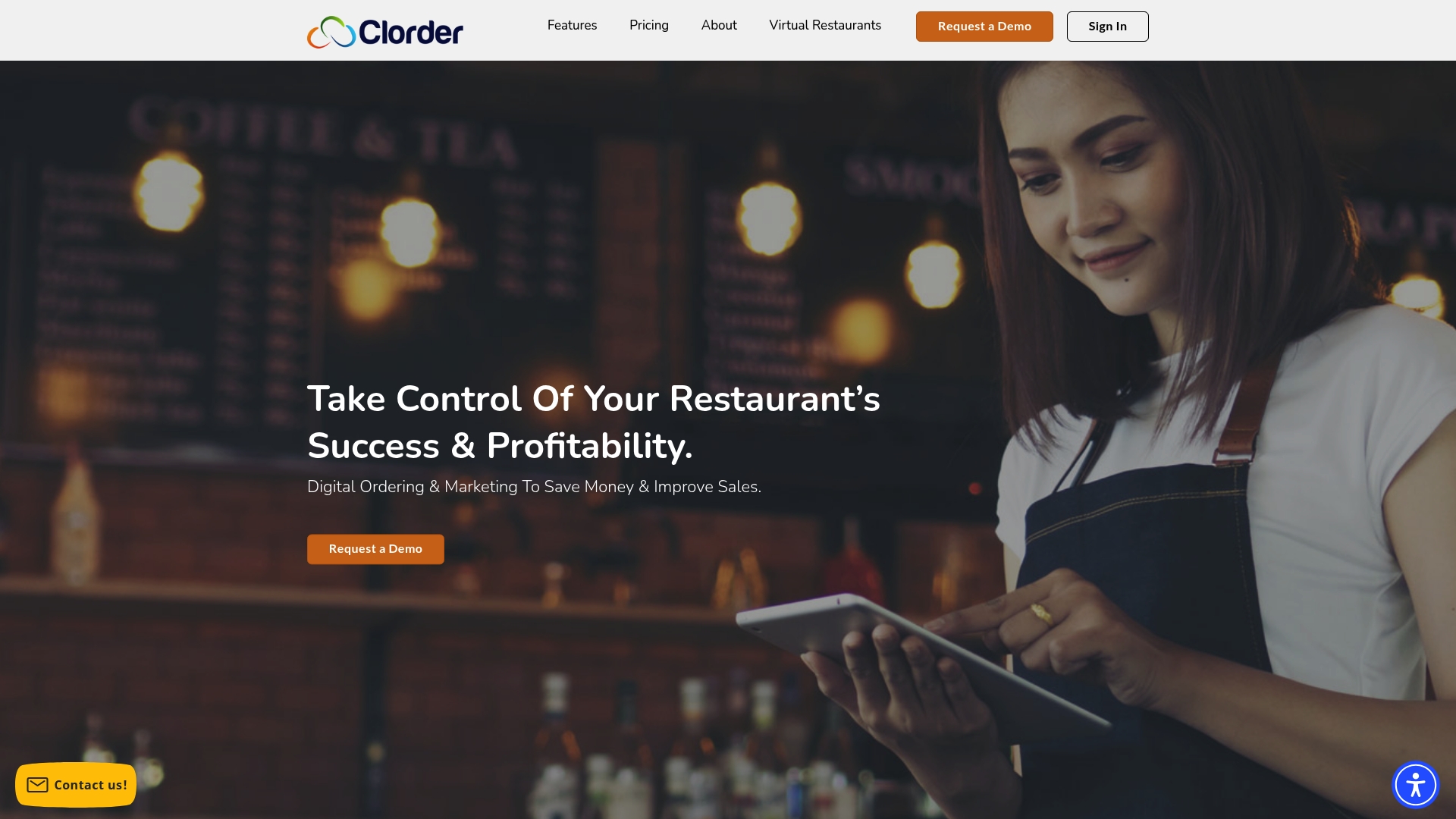
Unlimited commission free orders and a configurable delivery network let restaurants keep more revenue while handling their own logistics. The platform packages online ordering, print and paid social marketing, and virtual restaurant tools into one subscription. That mix targets operators who want to replace third party apps and in‑house marketing contractors.
Core Features
Clorder provides an online ordering system that supports unlimited commission free orders alongside a digital dashboard for orders, trends, and reports. The platform includes restaurant marketing services covering digital, print, social media, and paid ads, plus virtual restaurant creation and delivery network management. Account management, menu optimization, and rapid onboarding support are part of the delivery and service model.
Key Differentiator
The product combines commission free online ordering with built in marketing and a customizable delivery network, reducing the need for several vendors. That integration means you can run orders, promotions, and delivery settings from one dashboard rather than stitch together multiple point solutions. For operators focused on cutting recurring marketplace fees, this unified approach is the core appeal.
Pros
Clorder delivers a flexible ordering engine praised by clients for reliability and ease of use, which helps restaurants move away from marketplace commission costs. The platform bundles marketing options so you do not need separate agencies for digital ads, print, and social campaigns. Virtual restaurant creation and management let operators launch new concepts without heavy upfront costs. The company advertises no long term contracts and transparent tiered pricing, which simplifies budgeting for many locations.
Cons
- Third party service fees can still apply for certain delivery or gateway services.
- Homepage and marketing materials give limited detail on scalability and specific third party integrations.
- Multiple pricing tiers and optional add on services may confuse some small independent restaurants.
- Delivery network management can require additional setup or fees for driver operations.
When It May Not Fit
If you depend on a specific integration or hardware vendor not documented on the site, Clorder may not match your ecosystem needs. Multiunit operations that require published scalability benchmarks might need deeper technical detail than what appears on the homepage. If you prefer pay per order marketplaces for immediate demand generation, a tiered subscription model with setup fees may feel heavier.
Who It’s For
Restaurant owners and managers who want to remove marketplace commission costs and centralize online ordering, delivery, and marketing in a single platform. It suits single location operators and small chains that can absorb setup fees and want active menu and campaign support.
Real World Use Case
Zayna Flaming Grill and Radhika Modern Indian credited Clorder with flexible online ordering that helped raise sales during the pandemic. Both brands reported lower commission costs after switching and used the platform’s marketing services to expand customer reach.
Pricing
Tiered plans start at $120/month with annual billing for a basic package and extend to $500/month for an elite plan with annual billing. Setup fees run from $199 to $299 per location, and optional marketing services are priced separately.
Website: https://clorder.com
abcPOS
At a Glance
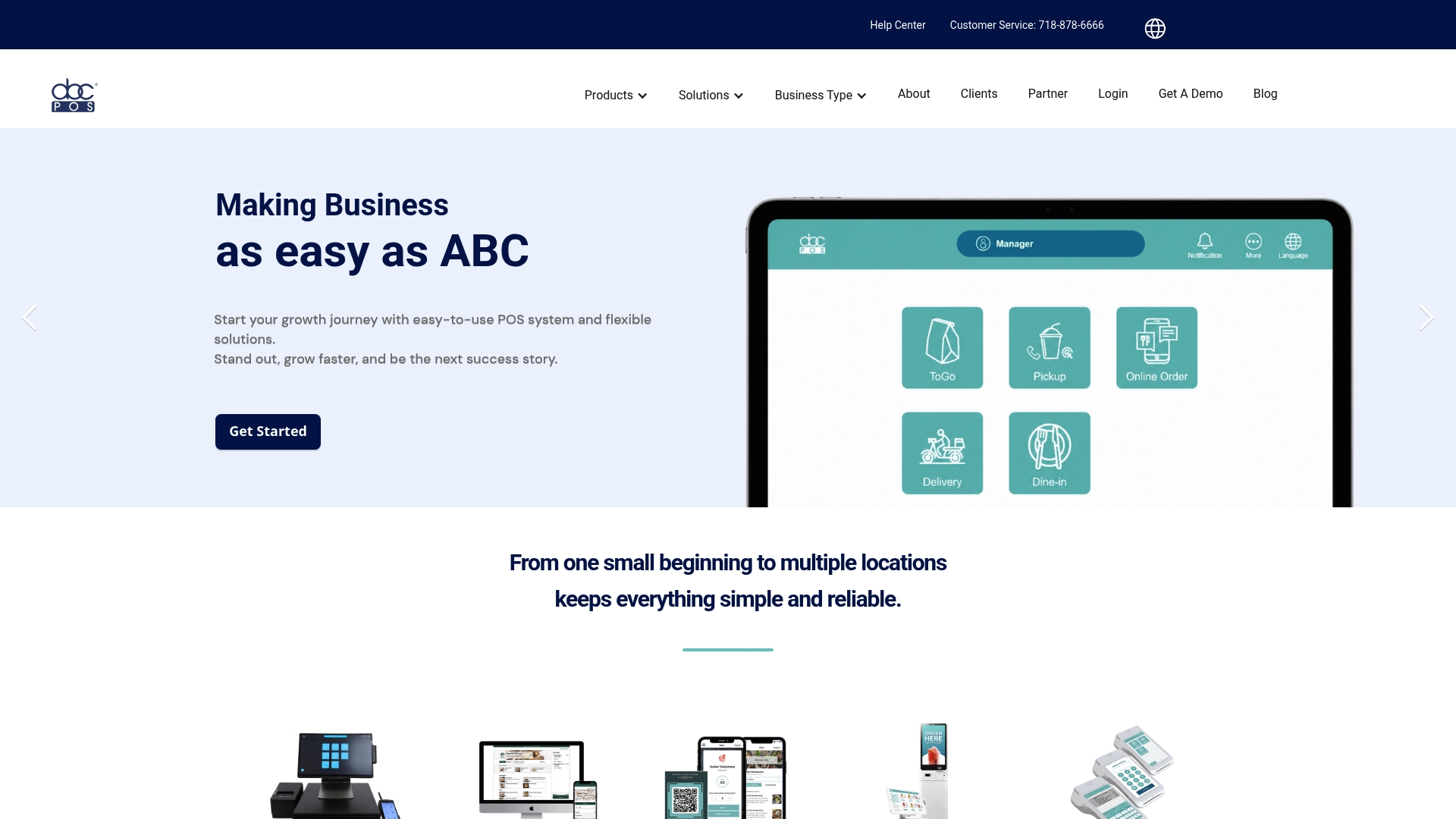
abcPOS reports more than 6,000 customers and more than 30 years of operation across the USA and beyond. The vendor positions the product as a full restaurant management stack built around a restaurant point of sale system. That operating history appears in product messaging and customer references.
Core Features
abcPOS combines a restaurant point of sale with self-ordering kiosks and support for digital wallets. The platform includes inventory management, multi-branch control, real-time sales analytics, and customer data tools for marketing. It also supports online ordering, QR table ordering, a customer loyalty app, queue management, and implied third-party delivery links.
Key Differentiator
The standout claim is tailored self-ordering kiosks and early support for digital wallet acceptance aimed at US restaurants. That focus makes the product useful for operators who want kiosk ordering and contactless payments baked into the same system rather than added later.
Pros
abcPOS groups core restaurant needs into a single package so managers can handle menu changes, inventory, and reporting from a central console. That user count above suggests a broad install base and a history of deployment across multiple restaurant formats. Support for contactless wallets, EMV, and NFC payments reduces payment friction for guests while the loyalty and marketing features let you target returning customers.
Cons
- Some public feature pages are incomplete or act as placeholders, which makes technical evaluation harder.
- Pricing is flexible and not published, so you must request a quote for firm numbers.
- Public information on hardware options and deep customization is limited, which may hide compatibility constraints.
When It May Not Fit
If your operation requires transparent, self-serve pricing on the website, abcPOS may not match that need. If you require full public documentation of hardware specifications or highly customized terminal builds, this product may not meet those technical demands. Businesses that need exhaustive online developer guides will likely find the public pages insufficient.
Notable Integrations
The product lists integrations with third-party delivery platforms such as DoorDash, Uber Eats, Grubhub in its feature descriptions. These links are framed as delivery connectivity rather than a published integration catalog.
Who It’s For
Small to medium-sized restaurant owners and managers who want an all-in-one restaurant POS with kiosk ordering, contactless payments, and multi-location control. It fits operators who prefer a single vendor for payments, orders, and loyalty rather than assembling separate specialist tools.
Real World Use Case
A regional quick-service chain can use abcPOS to unify menus across locations, accept contactless payments at kiosks, and centralize reporting. Managers get consolidated sales analytics and inventory controls that help keep kitchen inventory aligned with daily sales.
Pricing
Pricing is not published on the site. The vendor uses flexible, quote-based pricing that varies by business size and chosen hardware and services. Expect to contact sales for a tailored proposal.
Website: https://abcpos.com
Toast POS
At a Glance
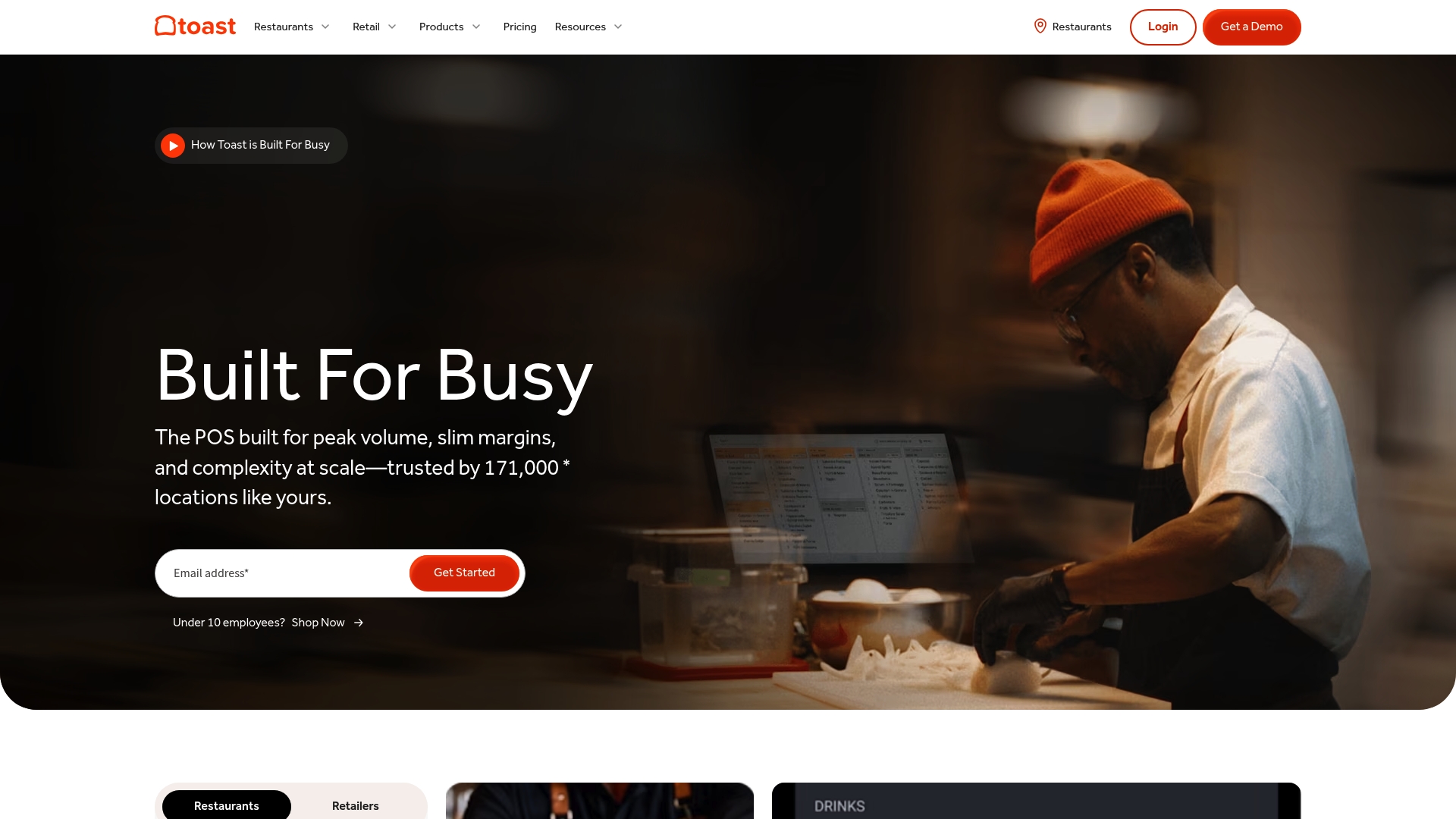
Toast POS reports it is trusted by over 171,000 locations worldwide. The platform targets busy restaurants and retailers that operate at high volume and thin margins. Toast combines hardware, restaurant workflows, and an AI component called Toast IQ to surface business insights and automate routine tasks.
Core Features
Toast delivers a full point of sale stack for restaurants and retail with order management, inventory, and staff tools. The platform includes online ordering, delivery management, kitchen display systems, and handheld terminals that work with its POS. Marketing features cover SMS, email, loyalty, and gift card automation tied to sales data.
Key Differentiator
Toast’s main edge is its built in AI assistant, Toast IQ, which analyzes sales and operations to generate actionable recommendations. The assistant can automate reporting and highlight menu or staffing changes to consider. That AI focus positions Toast toward operators who want data driven suggestions baked into daily workflows.
Pros
Toast supports a broad set of restaurant and retail workflows including quick service, full service, and multi location operations. The product offers extensive hardware options and offline mode so you can keep taking orders during short outages. Support is available around the clock and the platform integrates with many third party services for payroll, accounting, and delivery.
Cons
- Pricing can be complex and may require custom quotes for full features. Hardware costs are usually separate from basic plan fees.
- Several advanced modules are add ons, which can raise the total monthly expense. Small operators may not need the full suite.
- Complete deployment for highly customized setups can be time consuming and require technical assistance.
When It May Not Fit
If you run a single location with very basic needs, Toast may feel like more system than you need. Businesses that prefer zero hardware purchases upfront will face added costs here. If you expect to operate entirely offline, Toast’s offline mode only covers basic operations during outages.
Notable Integrations
Toast lists over 300 partner integrations, covering third party delivery platforms, payroll and accounting services, and marketing apps. That breadth helps you connect orders to back office workflows and third party delivery channels.
Who It’s For
Toast fits mid sized and larger restaurants and retail chains that need a configurable POS with hardware options. Choose Toast if you want in product analytics and an AI assistant that works on operational signals. Avoid it if you run a very small kiosk or a single low complexity location.
Real World Use Case
The vendor advertises restaurants using Toast’s real time data to refine menus and marketing. That claim includes examples where operators adjusted pricing and promotions after seeing item level performance. According to the company, some customers saw over 25% revenue growth after applying insights and targeted campaigns.
Pricing
Toast lists a free Starter Kit option that still requires hardware purchases for terminals. The Point of Sale plan starts at $69/month. Build Your Own and bundled options use custom pricing, so you will likely get a tailored quote for multi location or feature rich deployments.
Website: https://pos.toasttab.com
Lavu
At a Glance
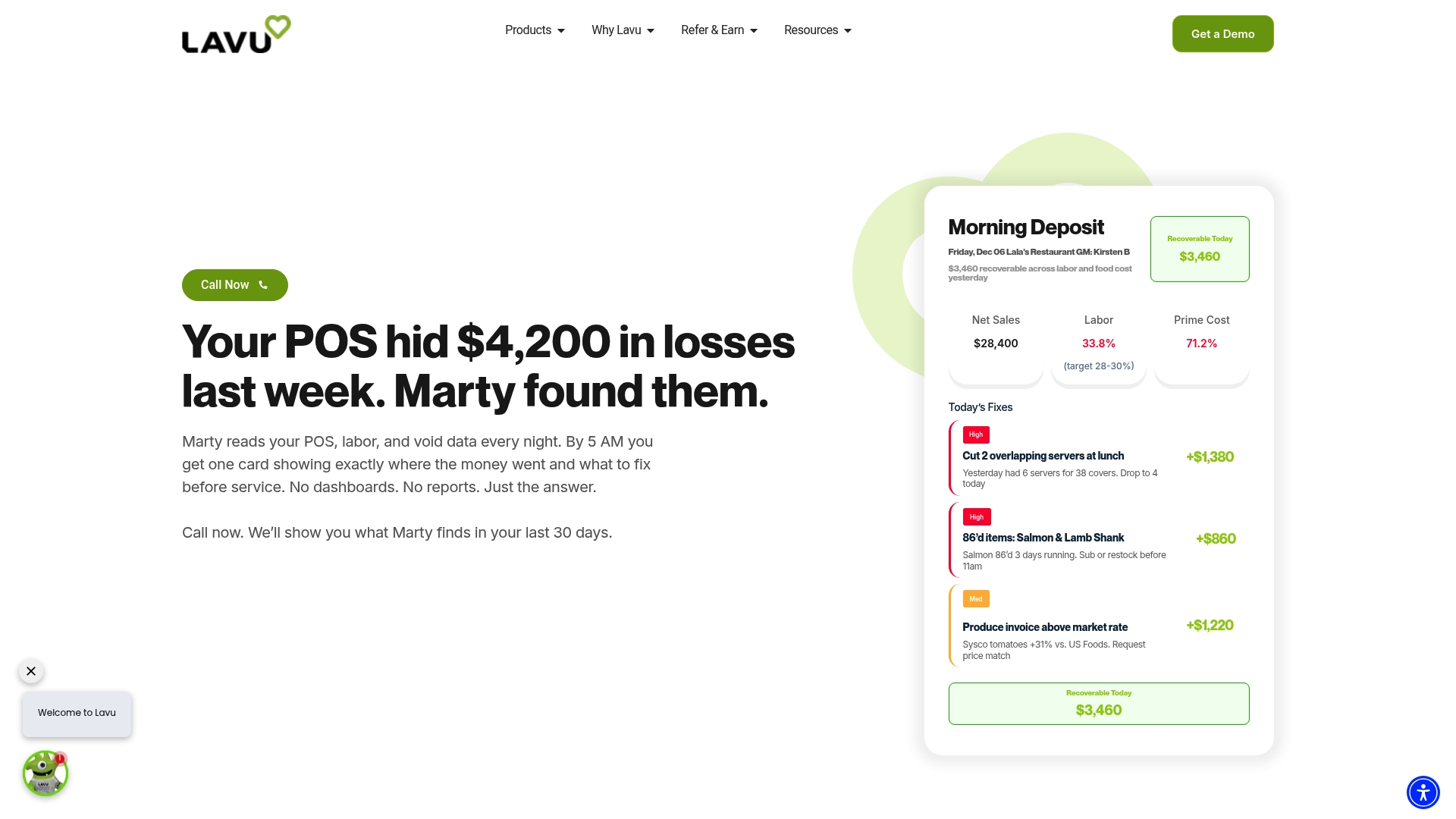
Lavu reports that Marty AI scans overnight POS and operational data to surface profit recovery actions each morning. The system pairs those insights with automated pricing and labor suggestions. That approach turns daily POS data into prioritized tasks managers can act on quickly.
Core Features
Lavu delivers a full restaurant point of sale on iPads with order management, inventory tracking, and integrated payment processing. The platform layers automated payroll and labor tools to remove manual entry for payroll and compliance tasks. Marketing automation and online ordering tie customer offers to sales data so managers can push slow-hours promotions and track results.
Key Differentiator
The standout element is Marty AI, which connects financial and operational signals to automated recovery plans and margin protection actions. That capability focuses on identifying profit leaks across sales, labor, and inventory and turning them into prioritized recommendations. Few traditional POS systems present actionable recovery tasks in the same way.
Pros
Lavu surfaces specific profit leaks and recommended fixes through Marty AI, which reduces time spent hunting for root causes. The software uses nonproprietary hardware, so you can upgrade or replace terminals without vendor lock in. Built-in payroll, scheduling, and marketing automation cut manual work and let managers act on the AI recommendations within existing shifts.
Cons
- The full power of Marty AI requires switching to Lavu POS, so advanced AI features need a platform migration.
- Pricing depends on which AI tiers are activated, which may complicate quoting for small single unit operators.
- Several automation features favor multi location operators and may exceed the needs of very small restaurants.
When It May Not Fit
If you want to keep your current POS but only add analytics, Lavu may force a platform change to unlock the advanced AI features. Small cafes with minimal staffing and limited menu complexity may find the automation heavier than needed. Budget conscious single unit operators should price the specific AI tier before committing.
Who It’s For
Restaurant owners and managers seeking an AI forward POS that pairs daily financial insights with automation will benefit most. Multi location groups that need consistent margin oversight and automated recovery plans gain the most value. Operators that prefer to avoid changing POS vendors should review the migration requirement first.
Real World Use Case
A full service restaurant runs Lavu overnight and receives a morning recovery plan from Marty AI highlighting menu items with margin erosion. The manager adjusts pricing and launches a targeted slow hours offer through the marketing module. Payroll reconciles automatically and the next shift follows the prioritized actions without extra meetings.
Pricing
Lavu organizes AI and automation by tier: Insights starts at $49/month, Automation at $99/month, and Autopilot at $199/month. Hardware options are available and final plan pricing depends on restaurant size and chosen features. Request a tailored quote to match tier and hardware needs.
Website: https://lavu.com
Comparison of alternatives
Merchant Solutions and its competitors offer a variety of POS solutions for business owners. While Merchant Solutions excels in hardware installation and operational financing, alternatives provide distinct strengths tailored to specific business models.
Hardware Customization vs. Enterprise Adaptability
Merchant Solutions delivers superior hardware configuration and localized installation options, benefiting operations with on-site needs across major metro areas. Alternatively, PDQ POS caters to multi-unit enterprises requiring scalability, high-volume capabilities, and specialized hardware beyond traditional kiosks or terminals. This makes PDQ POS suitable for complex hospitality chains prioritizing operational scaling.
Marketing Automation and Commission-Free Ordering
Clorder focuses on eliminating third-party marketplace fees with unlimited commission-free ordering combined with integrated marketing tools. This enables small restaurant chains to oversee their operations through centralized dashboards for revenue management. For merchants reliant on advertising solutions, Clorder provides a purposeful option.
Best fit
- Businesses experiencing tight cash flow while seeking localized hardware placements benefit from Merchant Solutions’ bundled funding and hardware setups.
- Multi-location restaurants requiring enterprise-level POS adaptability and kiosks should consider PDQ POS.
- Operators prioritizing marketing efforts and commission-free ordering platforms find Clorder to be the practical choice.
- Small dining venues interested in specialized AI-driven daily operational recommendations gain efficiencies by adopting Lavu.
Our pick
Merchant Solutions unifies hardware installation, payment processing, and funding services under one contract, catering to diverse business needs such as retail or healthcare. Its localized service guarantees operational support consistently. However, businesses focused solely on specialized marketing initiatives or enterprise scalability might achieve more favorable outcomes using Clorder or PDQ POS.
Merchant Solutions excels in bundling POS systems with tailored industry solutions and integrating hardware, funding, and payment processing under one contract.
| Product | Core Features | Key Differentiator | Who It’s For | Pricing |
|---|---|---|---|---|
| Merchantsolutionscorp | POS systems, online ordering, hardware integration | Industry-tailored setups with financing | Restaurants, retail shops, healthcare practices | Price not published |
| Signature Systems PDQ POS | All-in-one POS, customer reporting, delivery tools | Robust self-service and enterprise features | Hospitality and gaming industries with multi-locations | Price not published |
| Clorder | Commission-free online ordering, marketing services | Centralized management for ordering and marketing | Restaurants seeking simplified delivery and marketing solutions | $120–$500/month |
| abcPOS | Restaurant POS with kiosks, inventory management | Self-ordering kiosks and digital wallet support | Restaurants requiring contactless payments and loyalty options | Price not published |
| Toast POS | Full restaurant and retail POS with AI insights | Built-in AI assistant for operational insights | Restaurants and retail chains of mid to large size | $69+/month |
| Lavu | Restaurant POS with AI-driven profit recovery | AI tools for margin protection and automation | Multi-location restaurants needing daily operational insights | $49+/month |
What To Consider When Choosing an Online Ordering POS System
Selecting the right online ordering POS system can feel overwhelming. Key challenges include balancing hardware costs, setup speed, and payment processing efficiency. Many businesses want a solution that bundles equipment, financing, and onboarding to reduce vendor complexity and speed time to live.
Merchantsolutionscorp offers tailored industry setups with free hardware options and dual pricing solutions designed to lower costs and simplify implementation. Their platform supports credit card and ACH payments, Clover and Square terminals, and adds online ordering plus kiosk and kitchen display functionality. You can apply, get approved, and start accepting payments quickly with full support from onboarding through daily operations.
Compare solutions, reduce upfront investment, and choose a scalable system that matches your restaurant, retail, or healthcare business needs by visiting Merchantsolutionscorp. Start with a custom quote and hardware program to streamline your payment and POS deployment.
FAQ
How does Merchantsolutionscorp support hardware installation for POS systems?
Merchantsolutionscorp offers on-site installation for POS systems tailored to industry-specific needs. The company provides free hardware programs for qualified merchants, allowing them to get their systems set up efficiently. Businesses can expect a quick start to accepting payments with fully configured equipment.
What is the difference between Merchantsolutionscorp and PDQ POS?
PDQ POS excels in providing rapid support and deployment for multi-unit operations, making it a strong choice for national hospitality chains. Merchantsolutionscorp, however, combines POS installation with payment processing and flexible funding options tailored to various business types, benefitting restaurants, retail, and healthcare providers.
Can I use Merchantsolutionscorp for same-day funding if needed?
Yes, Merchantsolutionscorp allows merchants to choose funding options like same-day or next-day funding. This flexibility helps businesses manage cash flow effectively. Expect fast access to funds, especially useful during peak operational days.
Which platform offers commission-free online ordering?
Clorder offers unlimited commission-free online orders, helping restaurants retain more revenue. Merchantsolutionscorp, while focusing on hardware and payment solutions, is designed primarily for those needing both POS systems and funding options.
How does Merchantsolutionscorp help reduce configuration work for businesses?
Merchantsolutionscorp supplies tailored POS systems that align with restaurant, retail, and healthcare workflows. This direct integration minimizes the setup time and complexity when firms deploy their systems, enabling smooth operations from the start.