Online Ordering Systems Guide for Restaurants & Retail
Online Ordering Systems Guide for Restaurants & Retail
An online ordering system is defined as an integrated digital platform that captures customer orders, routes them to staff, processes payments, and manages fulfillment from a single connected workflow. This online ordering systems guide covers every decision you need to make before you buy, from choosing the right model to staying compliant with PCI DSS and ADA standards. Whether you run a restaurant, a quick-service counter, or a retail shop, the architecture you choose today will determine your margins, your customer data ownership, and your operational capacity for years ahead. The platforms you evaluate, including the DoorDash Commerce Platform, Clover, and Square, each make different tradeoffs between cost, control, and complexity.
What are the main models in this online ordering systems guide?
Online ordering platforms, the industry term for what many operators call “ordering systems,” fall into three distinct models. Each carries a different cost structure, level of brand control, and relationship with your customer data.
Third-party marketplace platforms connect your menu to a large consumer audience. The tradeoff is steep: commissions of 15–30% per order eat directly into your margins. A $40 order on a platform charging 25% leaves you $30 before food cost, labor, and packaging. That math gets painful fast at volume.

Direct online ordering systems are hosted on your own website or branded app. These platforms charge a flat subscription fee instead of per-order commissions. The financial benefit is clear: commission-free direct ordering preserves profit, keeps customer data in your hands, and gives you full control over the ordering experience. Tools like Toast, Olo, and Flipdish operate in this space.
Hybrid models combine both approaches. You use a third-party marketplace for customer acquisition and a direct channel for repeat buyers. This is the most common real-world setup for growing restaurants and multi-location retailers.
Comparing the three models side by side
| Model | Cost Structure | Customer Data Ownership | Brand Control | Operational Complexity |
|---|---|---|---|---|
| Third-party marketplace | 15–30% commission per order | Platform owns the data | Low | Low to medium |
| Direct ordering system | Monthly subscription fee | You own the data | High | Medium |
| Hybrid model | Commission plus subscription | Shared | Medium to high | High |
Pro Tip: Run a sensitivity analysis before committing to any model. Calculate your average order value, then subtract the commission rate at 15%, 20%, and 25% to see exactly where your margin breaks even. Most operators are surprised how quickly third-party fees erode profitability on lower-ticket items.
The right model depends on your current order volume, your staff capacity, and how aggressively you want to build a direct customer relationship. If you are just launching, a hybrid approach lets you generate volume through marketplaces while building your own channel in parallel. If you are optimizing an existing operation, shifting repeat customers to a direct platform is the highest-return move available.
Which features matter most when choosing an online ordering system?
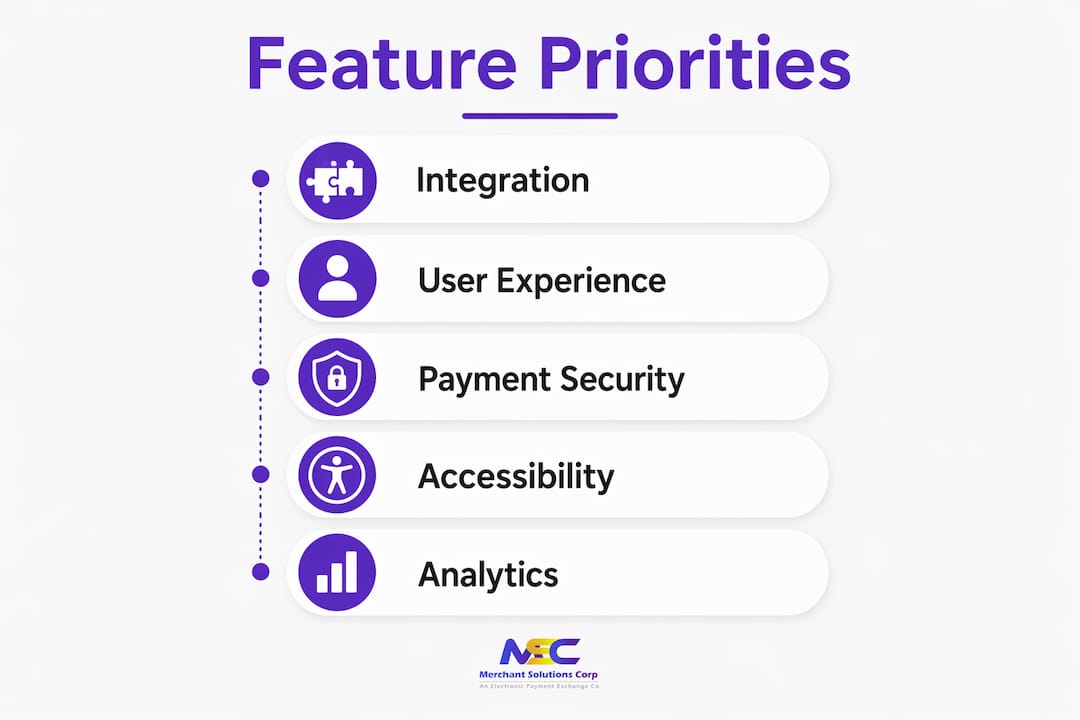
The front-end storefront is only one piece of the puzzle. The features that drive real operational results live deeper in the system. Here is what to evaluate before you sign a contract.
Core features to prioritize
- Branded website and mobile app. Your ordering interface should carry your logo, colors, and tone. Generic checkout pages reduce trust and conversion rates.
- POS system integration. Real-time POS syncing of menus, orders, and inventory prevents overselling and eliminates manual re-entry errors. Clover and Square both offer native integrations with popular ordering platforms.
- Loyalty and marketing tools. Embedded loyalty programs convert one-time buyers into repeat customers by capturing purchase history and enabling targeted promotions. This is one of the most underused features in the industry.
- Order routing and dispatch controls. Multi-channel orders arriving simultaneously can overwhelm a kitchen. Look for platforms that let you set throttling rules, prep time buffers, and channel priority.
- Automated customer notifications. Push notifications, SMS confirmations, and email receipts reduce inbound “where is my order?” calls. This alone saves meaningful staff time each week.
- Reporting and analytics dashboard. You need item-level sales data, peak hour reports, and channel performance breakdowns to make smart menu and staffing decisions.
Pro Tip: Test the POS integration in a live environment before go-live. Ask your vendor to demonstrate a real order flowing from the customer interface through to the kitchen display system. Integration failures at this layer are the most common source of fulfillment errors.
Why ada-compliant interfaces are a business requirement, not a bonus
Accessibility is not optional. ADA web guidance requires online ordering forms to include labeled fields, full keyboard navigation, and clear error messages. These requirements protect customers with disabilities and protect your business from legal exposure. Platforms that skip accessibility testing create friction for a significant portion of your customer base and expose you to complaints under Title III of the Americans with Disabilities Act.
When evaluating platforms, ask vendors directly whether their interface has been tested with screen readers like JAWS or NVDA. Visual design alone does not confirm compliance. Functional testing with assistive technology reveals gaps that a visual audit will miss.
What legal and compliance requirements apply to online ordering?
Payment security and web accessibility are the two compliance pillars every online ordering operation must address. Skipping either one creates financial and legal risk.
PCI DSS: the payment security standard
PCI DSS compliance is mandatory for any business that accepts card payments online. The standard covers firewalls, encryption, secure payment gateways, and ongoing monitoring. Non-compliance penalties range from $5,000 to $100,000 per month, depending on the severity and duration of the violation. That range reflects how seriously card networks treat data security failures.
The most practical way to minimize your PCI DSS scope is to use a hosted payment gateway. When a third-party gateway like Stripe, Authorize.Net, or a processor-provided solution handles card data directly, your systems never touch raw cardholder information. This reduces your compliance burden significantly and shifts the heaviest security obligations to the gateway provider.
Key compliance requirements to verify with your platform vendor:
- Tokenization of stored payment credentials
- TLS encryption on all data in transit
- Firewall and access controls on servers handling order data
- Regular vulnerability scans and penetration testing
- Audit logs for all access to cardholder data environments
You can review Merchantsolutionscorp’s approach to payment security standards to understand what a compliant processing setup looks like in practice.
ADA accessibility: what your ordering interface must do
Beyond visual design, your ordering platform must meet functional accessibility standards. The ADA’s web guidance specifies that online forms need labeled input fields, logical tab order for keyboard users, and descriptive error messages when a user makes a mistake. These are not aspirational features. They are legal requirements for public-facing commercial websites.
Practical steps to verify accessibility compliance:
- Confirm all form fields carry explicit text labels, not just placeholder text
- Test the full ordering flow using only a keyboard, with no mouse
- Verify that error messages identify the specific field and explain how to correct it
- Check color contrast ratios meet WCAG 2.1 AA standards
- Test with at least one screen reader before launch
How can you effectively implement and optimize online ordering?
A well-chosen platform fails without a disciplined rollout. The implementation phase is where most operators lose the gains they expected from their new system.
Step-by-step implementation framework
-
Map your order flow before you configure anything. Document every channel where orders will originate, including your website, mobile app, third-party marketplaces, and any QR code ordering touchpoints. Knowing the full picture prevents routing gaps.
-
Set up unified order routing. Multi-channel orders without unified routing create kitchen bottlenecks and fulfillment errors. Configure your system to funnel all channels into a single kitchen display or order management queue. This is the single most important operational decision in your setup.
-
Build your customer data strategy from day one. Direct ordering platforms give you access to customer emails, order history, and purchase frequency. Set up your CRM or email marketing tool to receive this data automatically. Waiting until after launch means losing weeks of customer acquisition data you cannot recover.
-
Train staff on the order management interface. Your kitchen staff and front-of-house team need to understand how orders arrive, how to flag issues, and how to handle order modifications. A 30-minute training session before launch prevents the majority of first-week errors.
-
Analyze order data within the first 30 days. Look at which items generate the highest margin, which time slots create the most volume, and which channels produce the most repeat customers. Use this data to adjust your menu, your promotions, and your staffing schedule.
-
Activate loyalty and marketing tools immediately. Customer data captured through direct ordering enables personalized promotions and loyalty rewards. Operators who activate these tools at launch see faster repeat purchase rates than those who add them later.
Pro Tip: Do not launch all channels simultaneously. Start with your direct ordering channel and one third-party marketplace. Stabilize operations, train your team, and confirm your POS integration is working correctly before adding additional channels. Adding complexity too fast is the most common implementation mistake.
Reviewing selling platform options for retail businesses can also help you identify which channel mix fits your customer base before you commit to a full rollout.
Key takeaways
A successful online ordering operation requires the right model, the right features, and disciplined implementation, with compliance built in from the start.
| Point | Details |
|---|---|
| Choose the right model first | Third-party, direct, and hybrid models carry different costs and data ownership implications. |
| Prioritize POS integration | Real-time syncing between your ordering platform and POS prevents fulfillment errors and menu conflicts. |
| Build compliance in from day one | PCI DSS and ADA requirements apply to every online ordering operation and carry real financial penalties. |
| Own your customer data | Direct ordering systems give you purchase history and contact data to drive repeat business through loyalty programs. |
| Unify order routing before launch | Multi-channel orders without a unified dispatch system create kitchen overload and service errors. |
What most operators get wrong about online ordering
Most business owners evaluate online ordering platforms the same way they shop for a website template. They look at the storefront design, check whether it works on mobile, and ask about the monthly fee. That approach misses the decisions that actually determine whether the system makes money.
The real leverage points are invisible on a demo call. They are the commission rate compounding across thousands of orders per year. They are the customer email addresses flowing into a third-party platform’s database instead of yours. They are the kitchen tickets arriving from five channels with no priority logic, creating a 20-minute backup on a Friday night.
Online ordering success is a collective outcome of interconnected decisions, not a front-end feature set. The operators who build profitable online channels treat the system as infrastructure, not software. They model the financial impact of every commission point. They protect their customer data like a business asset. They test their compliance posture before a regulator or a plaintiff does it for them.
The other mistake I see consistently is treating implementation as a one-time event. Your ordering system needs ongoing attention. Menu engineering based on digital order data, loyalty program optimization, and channel mix adjustments are not optional extras. They are the ongoing work that separates operators who grow their online revenue from those who plateau after the launch spike.
If you are evaluating platforms right now, spend more time on the backend architecture than the checkout page. Ask your vendor how orders are routed, where customer data lives, and what your PCI DSS scope looks like with their payment setup. Those answers will tell you more about the system’s real value than any feature checklist.
— Jonathan
How Merchantsolutionscorp supports your online ordering setup
Merchantsolutionscorp works with restaurants and retailers across the US and Canada to build payment and POS infrastructure that supports every layer of online ordering. From PCI-compliant payment processing to Clover and Square POS integrations, the platform is built to connect your online ordering channel with your in-store operations. Merchantsolutionscorp also offers dual pricing solutions to offset processing fees, free hardware programs with $0 upfront options, and kitchen display systems that unify multi-channel order routing. If you are ready to build a direct ordering channel or upgrade your current setup, Merchantsolutionscorp provides the processing infrastructure and POS hardware to get you there faster. Explore retail payment solutions designed specifically for food service and retail operators.
FAQ
What is an online ordering system?
An online ordering system is an integrated platform that captures customer orders digitally, routes them to staff, processes payments, and manages fulfillment. It typically includes four layers: customer interface, order routing, payment processing, and order management.
What are the advantages of online ordering for restaurants?
Direct online ordering eliminates third-party commissions, gives you full ownership of customer data, and enables loyalty and marketing programs that drive repeat purchases. These advantages compound over time as your customer database grows.
How do i choose between direct and third-party ordering systems?
Model your average order value against the commission rates of 15–30% charged by third-party marketplaces, then compare that cost to a flat subscription fee for a direct platform. If you have an established customer base, a direct system almost always produces better margins.
What does PCI DSS compliance mean for online ordering?
PCI DSS compliance means your payment process meets the security standards required to protect cardholder data, including encryption, firewalls, and secure gateways. Non-compliance penalties range from $5,000 to $100,000 per month.
How does POS integration improve online ordering operations?
POS integration syncs your menu, inventory, and orders in real time across all channels. This prevents overselling, eliminates manual order entry, and ensures your kitchen receives accurate tickets regardless of where the order originated.