Fix Reconciliation Drift: Patient Financing Payments for Clinics
Fix Reconciliation Drift: Patient Financing Payments for Clinics

When a patient uses financing to cover a bill, the lender pays your clinic directly, not the patient. Expect that payout in roughly 2 to 5 business days, depending on the provider’s settlement cycle. Your three priorities are simple: run financing through an integrated checkout flow, always refund through that same integration, and reconcile every payout against your invoices daily.
TL;DR:
- Clinics should ensure financing approvals are integrated directly into their POS or management software for seamless invoice updates and quicker payouts within 2 to 5 business days.
- Refunds must always be processed through the financing provider’s system to prevent invoice discrepancies and facilitate accurate reconciliation.
- Financial fees ranging around 5.5% are deducted from payouts, and clinics can offset costs by absorbing, building into prices, or using transparent discount structures.
- Staff must be trained to run financing flows confidently, including account lookups and refunds, with testing completed before going live to avoid reconciliation issues.
- Proper reconciliation involves recording payouts separately, matching them to specific invoices, and holding patient statements until posted payments are confirmed.
Table of Contents
- How patient financing payments flow and integrate with your payments stack
- Processing payments, partial approvals, and refunds at the counter
- Payment posting and reconciliation for financed transactions
- Costs, fee handling, and offsetting processing charges
- Rolling out patient financing at your front desk
- Integration readiness: what to verify before going live
- The operational case for taking patient financing seriously
- How Merchant Solutions Corp supports clinics accepting patient financing payments
- Guides worth reviewing before you go live
- Sources
- FAQ
How patient financing payments flow and integrate with your payments stack
Financing does not replace your checkout process. It runs through it. Most patients start with a quickscreen or preapproval step, a soft check that typically does not affect their credit score, before they ever reach your front desk. By the time they are standing at your counter, they already know their spending limit.
The integration itself usually launches from your POS or practice management software rather than a separate terminal. That matters operationally, because it means the financing app can pull the invoice amount, send it to the lender for approval, and post the result back into your system without your staff retyping numbers.
That single detail, the app talking directly to your invoice, is what separates a clean patient financing payments workflow from one that generates reconciliation headaches every week.
Here is what typically happens at checkout, in order:
- Patient requests financing and completes a soft credit check or quickscreen.
- Staff launches the financing interface from the POS or practice management app.
- The lender approves (or declines) and sends confirmation back to the invoice.
- The invoice updates automatically, showing the balance as financed rather than open.
Payouts to your clinic usually land within 2 to 5 business days, and weekends or batch settlement cycles can push that window slightly longer. Newer integrations, including combinations like checkout-embedded financing platforms, are narrowing that gap further by tying approval and funding closer together.
Processing payments, partial approvals, and refunds at the counter
Front desk staff need a repeatable sequence, not a mental checklist they reconstruct every time a patient asks about financing. Build the process around these steps:
- Enter the treatment or service amount into the POS.
- Launch the financing app or scan the provider’s QR code from the checkout screen.
- Let the patient complete their approval on their own device or a shared terminal.
- Confirm the transaction completes and the invoice reflects the financed balance.
When a patient does not have their financing account pulled up or their card on hand, staff should run an account lookup through the provider’s interface and verify the patient’s identification against what that lookup returns. Document that verification step. It protects you if a dispute surfaces later.
Refunds are where most clinics get into trouble. Provider integration guides are explicit on this point: refunds must be initiated from the financing provider’s module, not the generic POS refund button. Refunding through the wrong channel can leave the invoice out of sync with what the lender’s system shows, according to integration documentation from CareCredit.
Pro Tip: During onboarding, run a test refund through the financing module and check the invoice before you ever process a live refund. It takes ten minutes and it will save you an afternoon of reconciliation cleanup later.
Payment posting and reconciliation for financed transactions
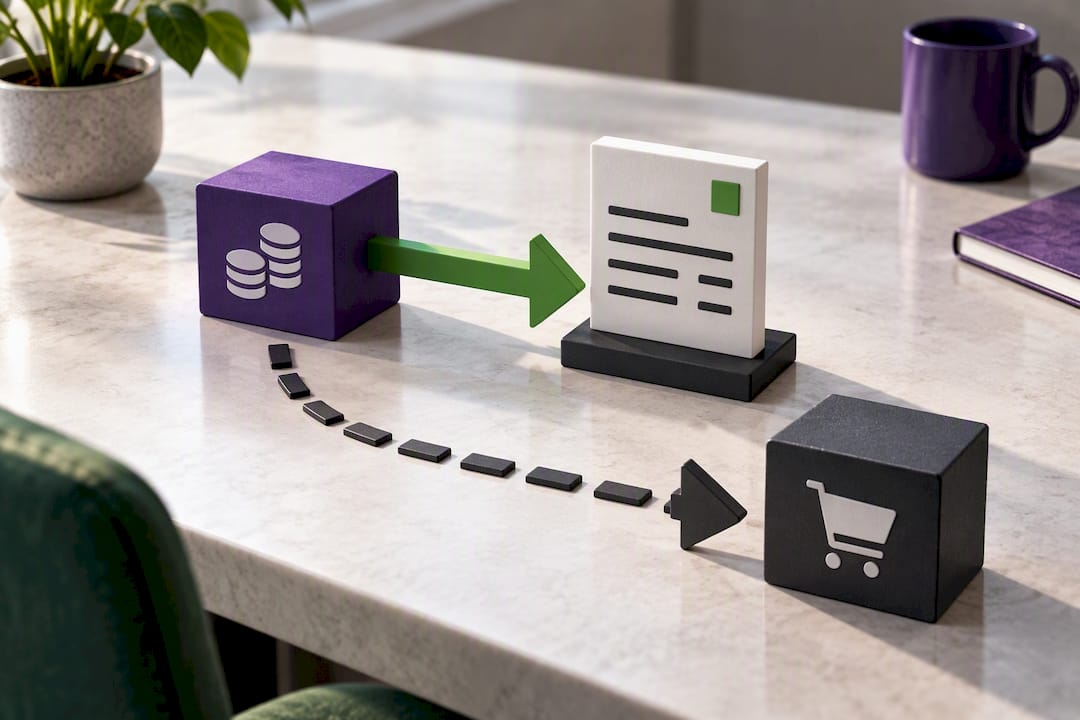
Financed payments still need to hit your books the same way any other payer remittance does. The cleanest path is electronic: use ERA and EFT posting instead of paper explanation-of-benefits statements whenever the option exists, since electronic posting reduces manual entry and speeds up reconciliation.
Practically, that means:
- Record where the financing payout lands on your bank deposit, and flag it separately from card and cash deposits.
- Map the provider’s processing fee as a deduction against that deposit, tied to your merchant-fee expense account.
- Reconcile the payout to the specific invoice it covers, not just to a lump deposit total.
- Hold patient statements until the reconciliation is complete, so the balance you send out matches what actually posted.
That last point deserves its own emphasis. Sending a statement before a financed payment posts is one of the most common sources of billing disputes, according to reconciliation guidance for medical practices, because the patient sees a balance that no longer matches what they were told at checkout.
Statistic snapshot: Practices typically see financed payouts settle within 2 to 5 business days of approval. Build your daily reconciliation cadence around that window rather than checking sporadically.
Costs, fee handling, and offsetting processing charges
Financing partners charge a processing fee for the convenience they provide, and that fee comes out of your payout before it reaches your bank account. Rates vary by provider and program. Some integration guides cite examples in the range of 5.5% for specific financing programs, though you should treat any single figure as a provider-disclosed example rather than an industry standard, since actual rates depend on your contract and volume.
Clinics generally choose one of three paths to manage that cost:
- Absorb the fee as a standard cost of offering financing, similar to card processing costs.
- Build a modest service fee into the treatment price to offset the deduction.
- Use a dual-pricing or cash-discount structure so the fee is transparent rather than buried.
Whichever path you choose, keep the accounting clean. Record gross charges, the financing fee, and the net deposit as three separate line items so your books tie out without manual adjustments every month.
Rolling out patient financing at your front desk
A financing program only works if your staff can run it without hesitation on day one. Treat the rollout like any other system change, with a real test phase before patients see it.
- Enroll with the financing provider and confirm your integration credentials with your POS or practice management vendor.
- Test the full flow, including a mock approval and a mock refund, in a sandbox or test account before going live.
- Register and configure any required devices exactly per the provider’s setup instructions.
- Train staff on presenting financing at checkout, verifying identification during account lookups, and processing refunds through the correct module.
- Schedule daily reconciliation checks for the first 30 to 90 days, then adjust the cadence once exceptions drop off.
Pro Tip: Give your front desk a one-page script for how to describe financing to patients. Staff who can explain approval timing and payout mechanics in plain language close more financed transactions than staff who just point at a tablet.
Offering financing tends to raise treatment acceptance because patients see a manageable monthly figure instead of a lump sum, and practices report more predictable cash flow once a third party is funding the balance directly.
Integration readiness: what to verify before going live
Before your first patient uses financing at checkout, IT and operations should walk through a short verification list together, not separately.
- Confirm the financing app or API connects cleanly with your POS or practice management system.
- Run test transactions through account lookup, quickscreen preapproval, and QR-code flows.
- Verify invoice updates post correctly and receipts print or store where staff expect them.
- Confirm where remittance details appear in your system once a payout lands.
- Set a written receipt and identification retention policy that matches your provider’s requirements and your own record-keeping standards.
| Checklist item | Why it matters |
|---|---|
| POS/PM integration test | Confirms approvals write back to invoices automatically |
| Account lookup test | Verifies patient identification without a physical card |
| Refund flow test | Prevents invoice mismatches from wrong-channel refunds |
| Receipt retention policy | Protects the clinic during disputes or audits |
A clinic offering industry-specific payment setups, the kind used across chiropractic and other specialty practices, usually finds this checklist takes an afternoon, not a week, once the integration itself is confirmed.
The operational case for taking patient financing seriously
Financing is not a courtesy add on. Handled well, it lowers front desk friction and lifts case acceptance because patients commit to care instead of walking away over a lump-sum bill. Handled poorly, it creates invoice mismatches that eat staff time for months.
Nearly every reconciliation problem traced back to one cause: a refund processed through the wrong channel, or an exception nobody checked for weeks. Test the refund flow before launch. Reconcile daily, not monthly. Choose provider integrations that update invoices automatically and hand you clear remittance detail, because the clinics that struggle with financing are rarely the ones with bad patients. They are the ones with untested workflows.
— Jonathan
How Merchant Solutions Corp supports clinics accepting patient financing payments
Merchant Solutions Corp gives clinics the checkout infrastructure that makes patient financing payments reconcile cleanly instead of becoming a monthly guessing game. Integrated POS setups pass invoice data to your financing partner automatically, so approvals and refunds post where your reconciliation actually happens. Dual pricing and cash-discount programs help offset processing costs without pushing the burden entirely onto your patients, and free hardware programs speed up onboarding so your front desk is not waiting weeks for equipment. Clinics that also process ACH payments can pair financing with ACH and eCheck processing for a Gateway plus eCheck rate of $25 per month, giving patients another settlement option beyond cards.
Contact Merchant Solutions Corp to schedule a walkthrough of your practice management setup and get a configuration built around how your clinic actually processes financed transactions.
Guides worth reviewing before you go live
Review your financing partner’s own integration documentation for device setup and refund steps specific to your POS. Pair it with payment posting best practices for reconciliation, and check technical resilience resources like this backup plugin guide if your checkout stack relies on a web-based platform.
Sources
- Point-of-sale financing and patient payments — CareCredit providers
- Transform checkout into growth: the power of AR Pay + Affirm — Aesthetic Record
- Payment posting and reconciliation best practices — Heidi Health
FAQ
How long does it take for financing payouts to reach a clinic?
Most third-party financing providers pay clinics directly within 2 to 5 business days of approval. Weekends and provider settlement cycles can extend that window slightly.
Should refunds be processed through the POS or the financing app?
Refunds should always be initiated through the financing provider’s module or integration, not the generic POS refund button. Processing a refund outside that flow can leave the invoice out of sync with the lender’s records, per provider integration guidance.
What fees should clinics expect from patient financing programs?
Fees vary by provider and program, and some integrations cite examples around 5.5% for specific plans. Clinics typically absorb the fee, build it into pricing, or use a dual-pricing structure to offset it.
Does patient financing require a hard credit check?
Most financing programs start with a quickscreen or soft preapproval that generally does not affect the patient’s credit score. A full application later in the process may involve a hard inquiry, depending on the lender’s terms.
Can Merchant Solutions Corp help integrate financing with existing POS systems?
Merchant Solutions Corp supports POS integrations and reconciliation-friendly workflows designed to keep financed transactions aligned with your invoices. Contact Merchant Solutions Corp directly for a setup walkthrough matched to your clinic’s practice management system.