Online Ordering Platforms: A Complete Guide for Restaurants
Online Ordering Platforms: A Complete Guide for Restaurants
What online ordering platforms actually do for your restaurant
Online ordering platforms are software systems that let customers browse your menu, place orders, and pay digitally, while automatically routing those orders to your kitchen and POS. They are not simply a convenience feature. For US restaurants competing in a market where digital ordering has become a baseline customer expectation, these systems directly affect your margins, your data ownership, and your ability to build lasting guest relationships.
The core value breaks down quickly:
- Direct revenue control: You set the pricing, own the transaction data, and avoid the commissions that third-party apps charge, which can erase profit on already thin margins.
- POS and kitchen integration: Orders flow automatically to your kitchen display system or printer, cutting manual entry and the errors that come with it.
- Customer data ownership: Direct platforms give you guest contact information, order history, and behavioral data you can use for marketing. Third-party apps keep that data for themselves.
- Operational consistency: Menu changes update across channels in real time, so customers always see accurate pricing and item availability.
- Scalability: Cloud-based architecture handles peak-hour order spikes without requiring additional hardware or staff.
Nearly half of US restaurants now use a mix of direct and marketplace ordering to balance discovery with profitability. Understanding how these systems work, and how to deploy them strategically, is what separates operators who grow with digital ordering from those who simply pay commissions to do it.
How online ordering systems work from click to kitchen
The order journey involves several interconnected layers, each handling a specific function. When you understand the full workflow, you can spot where breakdowns happen and how to prevent them.
1. Customer interface
Your customer lands on your website, branded app, or a marketplace listing. They browse the menu, select items, add modifiers (extra sauce, no onions, add cheese), and review their cart. The interface must be mobile-optimized, fast-loading, and visually clear. A slow or confusing menu page is where most abandoned orders happen.

2. Order submission and validation
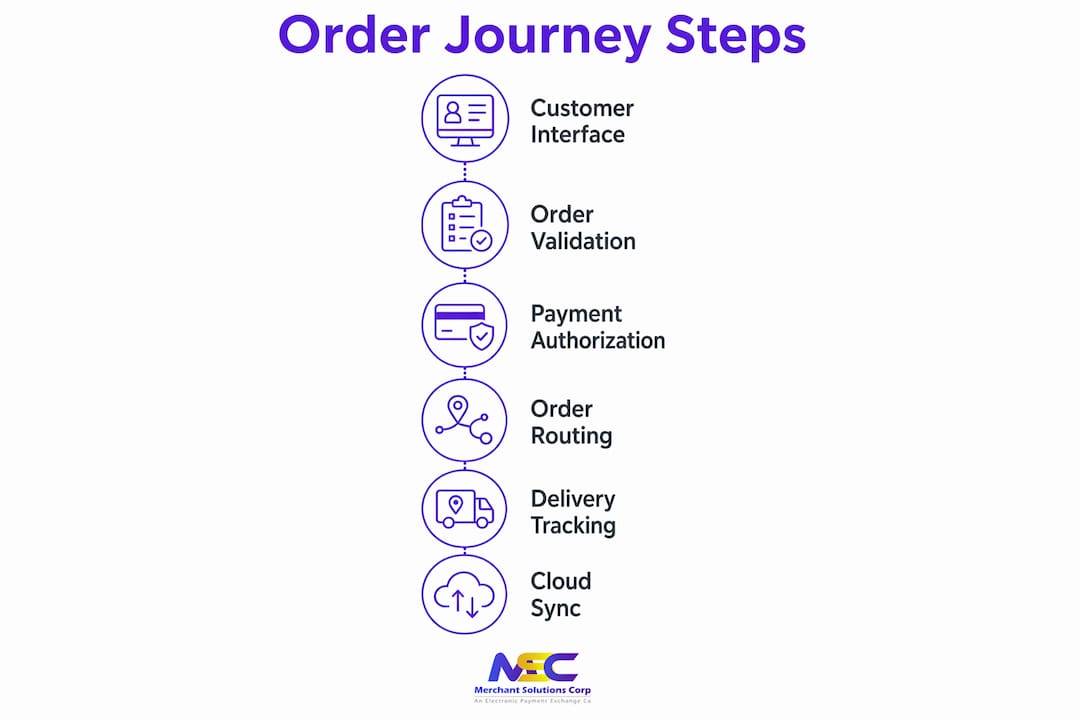
Once the customer submits, the platform’s backend validates the order. It checks item availability, applies any active promotions, and confirms the order details are complete. This step happens in seconds and is invisible to the customer.
3. Payment authorization
The platform processes the payment through a secure payment gateway, applying tokenization and PCI DSS compliance protocols to protect cardholder data. Approved payments trigger the next step immediately.
4. Order routing to POS or kitchen display
The platform backend routes orders directly to your point-of-sale system or kitchen display system (KDS). This eliminates the manual re-entry step that causes errors and slows ticket times. Your kitchen staff sees the order exactly as the customer placed it.
5. Delivery logistics and tracking
For delivery orders, the platform either dispatches your own drivers or connects to a third-party delivery network. Real-time tracking updates go to the customer automatically, reducing “where’s my order?” calls to your front-of-house staff.
6. Cloud synchronization
Cloud-based SaaS architecture keeps your menu, pricing, and order data synchronized across all channels in real time. It also handles traffic spikes during lunch rushes or promotional events without performance degradation.
Pro Tip: Map your current order flow on paper before you configure a new platform. Identify every manual touchpoint, from phone orders written on tickets to staff re-entering delivery app orders into your POS. Those are the exact friction points a well-integrated system should eliminate.
Key benefits online ordering platforms provide to restaurants
The financial case for direct online ordering is straightforward, but the operational and marketing advantages are where restaurants often leave the most value uncaptured.
Margin protection through commission avoidance
Direct ordering platforms typically charge a flat monthly fee or a low per-transaction fee, compared to the commissions third-party marketplaces take per order. On a $40 delivery order, that commission difference can mean the gap between profit and loss.
Reduction in order errors
Automated order routing to your KDS or POS systems removes the human transcription step entirely. Fewer errors mean fewer remakes, less food waste, and fewer refund requests.
Customer data you actually own
Every direct order builds your first-party database: names, emails, order history, and frequency data. You can use that information to run targeted promotions, loyalty programs, and re-engagement campaigns. Marketplace platforms retain this data and do not share it with you.
Increased average order value
Digital menus with upsell prompts, modifier suggestions, and add-on recommendations consistently produce higher ticket averages than phone orders. Customers browsing a well-designed digital menu spend more time and add more items.
Loyalty and repeat business
Platforms that support loyalty programs and personalized offers give you a direct line to your best customers. a large majority of delivery customers also dine in, which means a strong digital ordering experience can reinforce in-restaurant visits too.
Operational features and integrations that keep orders accurate
The difference between an online ordering system that helps your restaurant and one that creates extra work usually comes down to how well it integrates with your existing stack.
Menu management
Real-time menu sync with your POS means a price change or an 86’d item updates everywhere at once. Without this, you end up with customers ordering items you cannot fulfill, which damages trust and generates refund requests.
POS integration approaches
Native POS integrations eliminate manual order entry and errors, with setup times typically taking 1–3 days. They are the fastest and most reliable connection method. Middleware integrations use a third-party aggregator to bridge your ordering platform and POS, which adds flexibility but also adds a potential failure point. Custom API integrations offer the most control but require ongoing maintenance as vendors update their systems, making them costly for single-location operators.
Kitchen display system compatibility
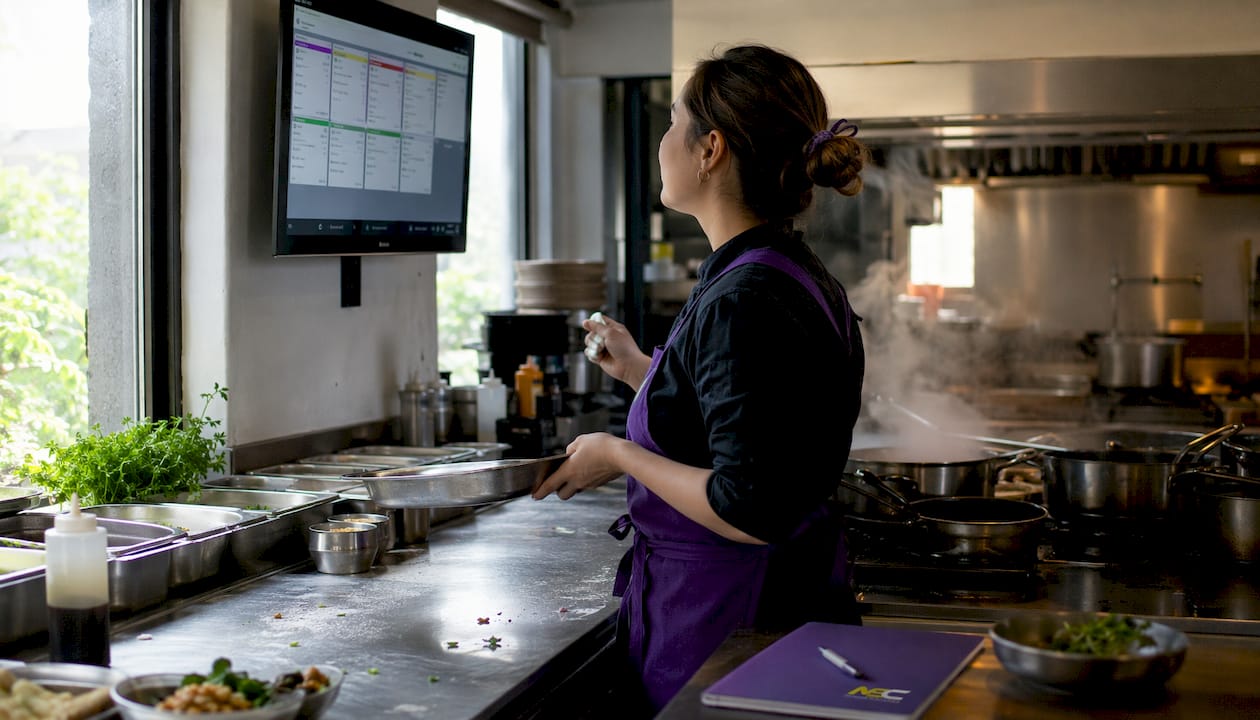
Orders should route directly to your KDS with the same modifier detail the customer entered. If your KDS receives a stripped-down version of the order, your kitchen staff fills in the gaps verbally, which reintroduces the error risk you were trying to eliminate.
Unified reporting
A platform that consolidates sales data from direct orders, third-party channels, and in-house POS into a single dashboard saves hours of manual reconciliation each week.
| Integration Type | Setup Time | Best For | Key Tradeoff |
|---|---|---|---|
| Native POS integration | 1–3 days | Single or multi-location restaurants | Limited to compatible POS brands |
| Middleware aggregator | 3–7 days | Operators using multiple ordering channels | Additional monthly cost and a dependency on the aggregator |
| Custom API | 2–6 weeks | Enterprise or tech-forward groups | High upfront and ongoing maintenance cost |
| Manual entry (no integration) | Immediate | Very small or temporary operations | Labor cost, error risk, and split reporting |
Third-party delivery coordination
Even if you prioritize direct ordering, most restaurants still list on major marketplaces for discovery. Your platform should accept and route those orders without requiring a separate tablet or manual re-entry. Without POS integration, restaurants absorb the cost in labor, errors, and fragmented reporting.
Pro Tip: Before signing with any ordering platform, ask specifically which POS systems it integrates with natively, not just “supports.” A native integration means orders flow directly; anything else means a workaround.
Implementation considerations and challenges when adopting online ordering
Deploying an online ordering system is not a plug-and-play event for most restaurants. The technical setup is often the easy part. The harder work is operational.
Choosing the right POS integration path
Your POS system determines which platforms you can connect to natively. If your current POS does not support native integration with your preferred ordering platform, you face a choice: use middleware, accept manual entry, or switch POS systems. Custom integrations require ongoing maintenance as vendors update APIs, making them expensive for single-location restaurants.
Staff training and workflow adaptation
Your team needs to understand how orders arrive, where to find them, and what to do when something goes wrong. A kitchen that receives digital orders on a KDS for the first time needs practice runs before you go live with customers.
Managing dual channels
Running direct ordering alongside third-party marketplace listings creates a dual-channel environment. Menu updates, pricing changes, and item availability need to stay consistent across both. A price discrepancy between your direct site and a marketplace listing confuses customers and can trigger complaints.
Common operational challenges include:
- Duplicate orders: A customer places an order on a marketplace and then calls to place the same order, resulting in double production.
- Modifier sync failures: A modifier option that exists in your POS does not appear correctly in the ordering platform, leading to incorrect orders.
- Menu lag: A menu update made in your POS does not propagate to your ordering platform immediately, so customers order items that are unavailable.
- Data discrepancies: Sales figures in your ordering platform do not match your POS end-of-day report because of timing differences in how each system records transactions.
Gradual rollout reduces risk
Launching with a limited menu on your direct ordering platform before expanding to your full catalog gives your staff time to adapt and lets you identify integration issues before they affect a high volume of orders.
Pro Tip: Include a direct-order incentive, such as a discount code or a free item, in every third-party delivery bag during your first 60 days. This converts marketplace customers to your direct channel while your new platform is still building its audience.
Expert strategies for maximizing your online ordering platform
Many restaurant operators treat online ordering as a technology decision rather than an operational and retention strategy. That framing leads to underperformance regardless of which platform you choose.
Use marketplaces for discovery, not as your primary channel
Third-party apps give you visibility to customers who do not yet know your restaurant. That is genuinely valuable. But once a customer orders from you through a marketplace, your goal is to bring them to your direct channel for every subsequent order. Operators who use third-party marketplaces primarily for customer discovery, then promote direct ordering through incentives, protect their margins without sacrificing reach.
Convert marketplace customers actively
Bag stuffers with a QR code linking to your direct ordering site, a first-order discount, or a loyalty program sign-up offer are all proven conversion tools. The cost of a one-time incentive is almost always lower than the ongoing commission you pay on every repeat order through a marketplace.
Prioritize a mobile-optimized website over a custom app
Fast, mobile-optimized websites generally convert as well as native apps for most restaurants, and they cost a fraction of the price to build and maintain. Custom app development makes sense for high-volume chains with the budget and technical team to support it. For most independent and regional operators, a well-built mobile site delivers comparable results without the overhead.
Build unified guest profiles
Unifying guest profiles across dine-in and online ordering improves customer lifetime value and gives your marketing team a complete picture of each guest’s behavior. A customer who orders delivery twice a week and dines in on weekends is worth far more than their individual transaction history suggests.
- Segment your customer list by order frequency, average ticket, and channel preference.
- Personalize re-engagement campaigns based on what customers actually ordered, not generic promotions.
- Use loyalty data to identify your highest-value guests and give them early access to new menu items or exclusive offers.
Connecting your online and offline sales data through integrated reporting gives you the full picture needed to act on these insights rather than guess at them.
Key Takeaways
Online ordering platforms succeed when they integrate directly with your POS, route orders automatically to your kitchen, and feed customer data back into a retention strategy that converts marketplace buyers into direct channel regulars.
| Point | Details |
|---|---|
| Direct ordering protects margins | Third-party apps charge commissions per order; direct platforms use flat or low transaction fees instead. |
| Native POS integration is fastest | Native integrations typically take 1–3 days to set up and eliminate manual order entry errors. |
| Marketplaces are discovery tools | Use third-party apps to acquire new customers, then convert them to your direct channel with incentives. |
| Unified guest profiles increase value | Linking dine-in and delivery data gives you a complete view of each customer’s behavior and lifetime value. |
| Mobile sites outperform custom apps for most | A fast, mobile-optimized website converts as well as a native app for most independent restaurants. |
FAQ
How does an online ordering system work?
A customer browses your menu, selects items, and pays through your website or app. The platform validates the order, processes payment securely, and routes the order directly to your POS or kitchen display system without manual re-entry.
What are the main benefits of online ordering for restaurants?
Direct ordering platforms avoid the 15–30% commissions charged by third-party apps, reduce order errors through automated routing, and give you ownership of customer data you can use for marketing and loyalty programs.
How do you choose the right online ordering system?
Start with your POS system. Confirm which platforms offer native integration with it, since native connections set up in 1–3 days and eliminate manual entry. Then evaluate pricing models, mobile performance, and whether the platform supports direct customer data capture.
What is the 30/30/30 rule for restaurants?
The 30/30/30 rule is an informal operational guideline suggesting that food cost, labor cost, and overhead each account for roughly 30% of revenue, leaving approximately 10% as profit. It is a general benchmark, not an industry standard, and actual figures vary widely by restaurant type and market.
What are some popular online ordering platforms available to US restaurants?
The US market includes both direct ordering platforms that restaurants host on their own websites and third-party marketplaces that provide discovery and delivery logistics. Merchantsolutionscorp offers integrated online ordering with POS systems, kitchen display compatibility, and payment processing built into a single setup, giving restaurant owners direct control over their ordering channel without relying on marketplace commissions.