What Is an ACH Payment? A Small Business Guide
What Is an ACH Payment? A Small Business Guide
An ACH payment is an electronic transfer of money directly between bank accounts through the Automated Clearing House network. This system moves funds without paper checks, wire transfers, or card networks. Nacha governs the rules that all participants must follow, while the Federal Reserve and The Clearing House operate the two networks that physically route the transactions. For small business owners, understanding ACH processing means understanding one of the lowest-cost, most reliable ways to collect recurring revenue, pay vendors, and run payroll.
What is an ACH payment and how does the network operate?
An ACH payment is defined as a bank-to-bank electronic transfer processed in batches through the Automated Clearing House network, which operates under Nacha Operating Rules. Every transaction moves through five distinct parties before money changes hands. Knowing each role helps you troubleshoot delays and set accurate expectations with customers.
The five parties in every ACH transaction are:
- Originator. The business or individual initiating the payment. If you collect a monthly subscription fee, you are the originator.
- Originating Depository Financial Institution (ODFI). Your bank. It accepts your payment file and forwards it to the ACH operator.
- ACH Operator. Either the Federal Reserve or The Clearing House. This is the central hub that sorts and routes payment batches to the correct receiving bank.
- Receiving Depository Financial Institution (RDFI). The customer’s bank. It receives the payment instruction and applies the debit or credit to the customer’s account.
- Receiver. The customer or vendor whose account is affected.
The network processes transactions in batches, not in real time. Banks submit files at scheduled windows throughout the day. That batching model is what keeps costs low, but it also creates the settlement delay that business owners need to plan around.
ACH credit vs. ACH debit: what’s the difference?

An ACH credit pushes money from your account to someone else’s. Payroll direct deposit is the most common example. An ACH debit pulls money from a customer’s account into yours. Subscription billing and utility autopay both use ACH debits. The direction of the pull determines which party carries the authorization burden.
Settlement timing: standard vs. Same Day ACH
| Transaction type | Typical settlement window | Notes |
|---|---|---|
| Standard ACH credit | 1–2 business days | Most payroll and vendor payments |
| Standard ACH debit | 1–2 business days | Subscription billing, recurring invoices |
| Same Day ACH | Same business day | Available for a fee; subject to per-transaction dollar limits |
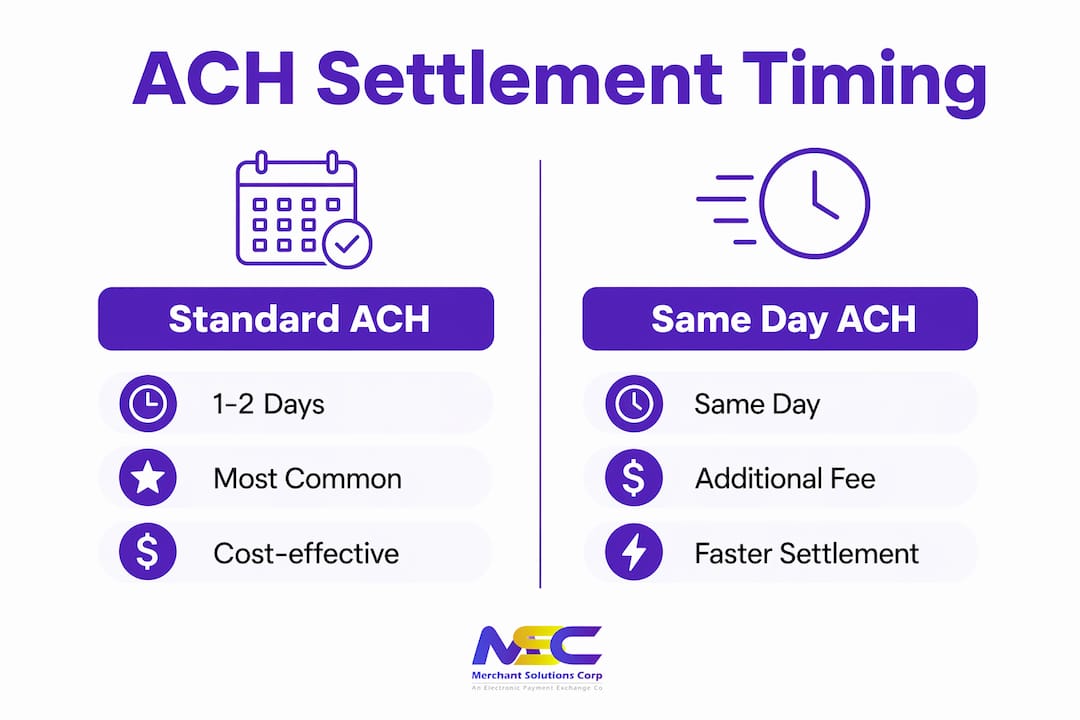
Standard ACH settles in 1–2 business days, while Same Day ACH is available for an additional fee. That extra cost is worth it when cash flow timing is tight, but for predictable recurring billing, standard settlement is usually sufficient.
What are the benefits and limitations of ACH for small businesses?
ACH payments cost less than credit card transactions because they use batch processing and carry no card network fees. That cost difference is the primary reason service businesses, subscription companies, and B2B sellers rely on ACH for recurring billing, invoices, and payroll deposits. Lower processing costs and enhanced security make ACH payments popular for subscription models and invoice payments across industries.
Key advantages
- Lower processing fees. ACH fees are typically a flat per-transaction amount or a small percentage, well below the rates charged for credit card processing. For high-volume or high-ticket transactions, those savings add up quickly.
- Reliable for recurring billing. Once a customer authorizes an ACH debit, you can collect payments on a schedule without asking for card details again. That predictability is valuable for subscription businesses and service retainers.
- Strong security. ACH transactions run through a regulated banking network governed by Nacha. The rules include strict authentication requirements and dispute resolution procedures.
- Useful for B2B payments. Business customers often prefer ACH for large invoices because it avoids card limits and keeps their own accounting clean.
- Payroll and vendor payments. ACH credits are the standard method for direct deposit payroll and paying suppliers on net terms.
Limitations to plan around
- Slower settlement than cards. Credit card payments typically settle faster than standard ACH. If your business needs same-day funds, you will pay a premium for Same Day ACH or need to plan your cash flow around the 1–2 day window.
- NSF return risk. If a customer’s account lacks sufficient funds, the payment returns as an NSF. Failures are reported days after initiation, which means you may not know about a failed payment until well after the transaction was submitted.
- Customer preference for cards. Customers often prefer credit cards for speed and rewards in one-off purchases. ACH works best when customers are motivated to set it up, typically for recurring bills they want to automate.
- Not ideal for impulse retail. A retail customer buying a single item at your counter will not want to hand over their bank account number. ACH fits recurring and planned transactions, not spontaneous ones.
Pro Tip: Offer ACH as a payment option on your invoices and subscription sign-up pages, but keep card processing available at the point of sale. The two methods serve different customer behaviors and transaction types.
ACH is not a replacement for card processing. It is a complement. Businesses that treat it as a utility for predictable revenue streams get the most value from it.
How can small businesses implement ACH payment acceptance?
Accepting ACH payments requires three things: a payment processor that supports ACH, a formal customer authorization, and the customer’s bank routing and account numbers. Businesses must partner with a payment processor that is connected to the ACH network and compliant with Nacha Operating Rules. You cannot initiate ACH transactions directly through your own bank account without this infrastructure in place.
Step-by-step setup
- Choose a Nacha-compliant payment processor. Your processor handles the technical connection to the ACH network. Merchantsolutionscorp offers ACH and eCheck processing designed for retail, service, and B2B businesses, with support from onboarding through daily operations.
- Obtain formal customer authorization. Nacha rules require that you collect a signed or electronically confirmed authorization before debiting a customer’s account. This mandate must specify the payment amount, frequency, and the account being debited. Verbal authorization is permitted for phone transactions but must be recorded and stored.
- Collect routing and account numbers. You need the customer’s nine-digit bank routing number and their checking or savings account number. Many businesses collect this through a secure online form at signup.
- Set up your payment file or integration. Your processor will either provide a portal where you enter payment details manually, or an API integration that connects your billing software directly to the ACH network.
- Test before going live. Run a small test transaction and confirm it settles correctly before processing full amounts. This catches any data entry errors in routing or account numbers before they cause returns.
Pro Tip: Store customer authorization records for at least two years after the last transaction. Nacha rules require you to produce the authorization if a customer disputes a debit. A missing record puts you at risk of losing the dispute automatically.
Protecting the bank account data you collect is as important as collecting it correctly. Applying strong data security practices to customer payment information reduces your exposure to fraud and builds customer trust. ACH setup is simpler than card processing in some ways because there are no card network certifications required, but the authorization and data security requirements are non-negotiable.
What best practices reduce ACH risk and improve cash flow?
NSF returns are the biggest operational risk in ACH processing. When a customer’s account lacks funds, the payment returns unpaid, and that failure notification arrives days after initiation. Unlike a declined card, which fails instantly at the point of sale, an ACH return can leave you waiting several business days to learn that a payment did not go through. That delay creates a gap in your cash flow that you need to manage proactively.
Automate retry logic
Businesses should automate retry processes for failed ACH payments to avoid manual bottlenecks and keep cash flow consistent. Most payment processors offer configurable retry schedules. A common approach is to retry a failed payment after three business days, then again after seven days, before escalating to manual follow-up. Automating this process removes the burden from your team and reduces the time between failure and resolution.
Maintain a cash buffer
Because ACH returns arrive late, your operating account needs a buffer to absorb the gap. If you process a large batch of ACH debits and several return as NSF, your account balance will show those funds as received before the returns post. A buffer prevents you from spending money that will later be clawed back.
Use software to manage returns
Manual return management does not scale. As your ACH volume grows, tracking failed payments, retry attempts, and customer communications by hand creates errors and delays. Billing software with built-in return handling sends automatic notifications to customers, logs retry attempts, and flags accounts that repeatedly fail. That visibility keeps your receivables clean.
Leverage recurring billing for cash flow predictability
Recurring ACH billing is one of the most effective tools for stabilizing cash flow in service businesses. When customers authorize automatic monthly debits, you can forecast revenue with confidence. That predictability makes it easier to manage payroll, inventory purchases, and vendor payments on a consistent schedule.
Pro Tip: Send customers an email reminder two to three business days before each ACH debit. This reduces NSF returns because customers have time to fund their accounts. It also reduces disputes because customers recognize the charge when it appears.
Key Takeaways
ACH payments are the most cost-effective method for recurring, B2B, and payroll transactions, but they require formal Nacha-compliant authorization, a capable payment processor, and proactive return management to work reliably.
| Point | Details |
|---|---|
| ACH is bank-to-bank | Funds move directly between accounts through the Automated Clearing House network, bypassing card networks entirely. |
| Settlement takes 1–2 days | Standard ACH settles in 1–2 business days; Same Day ACH is available for a fee when timing is critical. |
| Authorization is mandatory | Nacha rules require formal written or electronic customer authorization before you can initiate any ACH debit. |
| NSF returns arrive late | Failed payments are reported days after initiation, so maintain a cash buffer and automate retry logic. |
| ACH complements card processing | Use ACH for recurring and B2B payments; keep card options available for retail and impulse purchases. |
Why ACH deserves a permanent place in your payment mix
Most small business owners I work with treat ACH as an afterthought. They set it up for payroll and never think about it again. That is a missed opportunity, and here is why.
ACH is the only payment method that gets cheaper as your transaction volume grows, without requiring you to negotiate a new rate. Card processing fees scale with revenue. ACH fees stay flat or decline. For a service business billing $50,000 a month in recurring subscriptions, the difference in processing costs between cards and ACH is meaningful. That money stays in your business.
The businesses that get ACH wrong are the ones that treat it like a card payment with a longer wait time. It is not. ACH is a utility. It works best when it is invisible to the customer, running quietly in the background on a schedule they set once and forget. The moment you try to use it for transactions where speed or rewards matter to the customer, you create friction that costs you the sale.
The other mistake I see is ignoring return management until it becomes a crisis. One or two NSF returns a month is manageable. Twenty returns a month with no automated retry system is a cash flow problem. Build the infrastructure before you need it, not after.
ACH also pairs well with payment links and invoice tools. Sending a customer a payment link that defaults to ACH for large invoices reduces your processing cost on that transaction significantly. Merchantsolutionscorp’s payment processing solutions include ACH capabilities alongside card processing, which means you can offer both options from a single platform without managing two separate systems.
The businesses that win with ACH are the ones that treat it as a deliberate part of their payment strategy, not an afterthought.
— Jonathan
ACH processing built for your business at Merchantsolutionscorp
Merchantsolutionscorp provides ACH payment processing alongside credit card acceptance, POS systems, and dual pricing solutions for businesses across the US and Canada. If you run a retail shop, service business, or B2B operation, adding ACH to your payment mix reduces your processing costs on recurring and high-ticket transactions. Merchantsolutionscorp’s setup includes onboarding support, Nacha-compliant authorization tools, and integration with your existing systems. There are no complicated contracts or hidden fees to navigate. Visit the payment processing overview to see how ACH fits into a complete payment solution for your business.
FAQ
What is an ACH payment in simple terms?
An ACH payment is an electronic transfer of money between two bank accounts through the Automated Clearing House network. It is used for payroll, bill payments, and business-to-business invoices.
How long does an ACH payment take to settle?
Standard ACH settles in 1–2 business days. Same Day ACH is available for a fee and processes within the same business day, subject to dollar limits.
What is ACH processing for retailers?
ACH processing for retailers means accepting bank-to-bank payments for recurring charges, memberships, or large invoices. It is not suited for point-of-sale impulse purchases, where card payments remain the standard.
Why should a small business accept ACH payments?
ACH payments cost less to process than credit card transactions and work well for recurring billing, B2B invoices, and payroll. The lower fees and predictable payment schedules improve cash flow for service-based businesses.
What happens when an ACH payment fails?
A failed ACH payment returns as an NSF, and that return notification arrives days after initiation. Businesses should automate retry logic and maintain a cash buffer to manage the delay without disrupting operations.