Merchant Credit Card Processing: Setup & Pricing Guide
Merchant Credit Card Processing: Setup & Pricing Guide
If you process steady monthly volume, choose interchange-plus pricing for a merchant credit card account — it gives you transparent fees and a negotiable markup. If you’re just starting out or processing irregularly, a flat-rate aggregator gets you running fast. Before you request quotes, pull three numbers: your monthly processing volume, average ticket size, and the percentage of card-not-present transactions. Those three inputs determine which pricing model actually saves you money.
- Interchange-plus: best for businesses processing consistently, with lower effective rates as volume grows
- Flat-rate: fastest to set up, predictable per-transaction cost, but often more expensive at scale
- PCI DSS compliance is required for every merchant accepting cards, regardless of pricing model
- Merchantsolutionscorp offers transparent pricing, free hardware programs, and fast onboarding for SMBs across the US
Processing fees commonly range from 1.5% to 3.5% per transaction, with effective rates often landing between roughly 2.2% and 3.3% depending on your card mix.
Key Takeaways
Choosing interchange-plus pricing and preparing your volume data before shopping are the two moves that most reliably reduce your merchant credit card processing costs.
| Point | Details |
|---|---|
| Collect volume data first | Gather monthly volume, average ticket, and card-not-present percentage before requesting any quotes. |
| Interchange-plus saves at scale | Flat-rate is fastest to start; switch to interchange-plus once you have steady, consistent volume. |
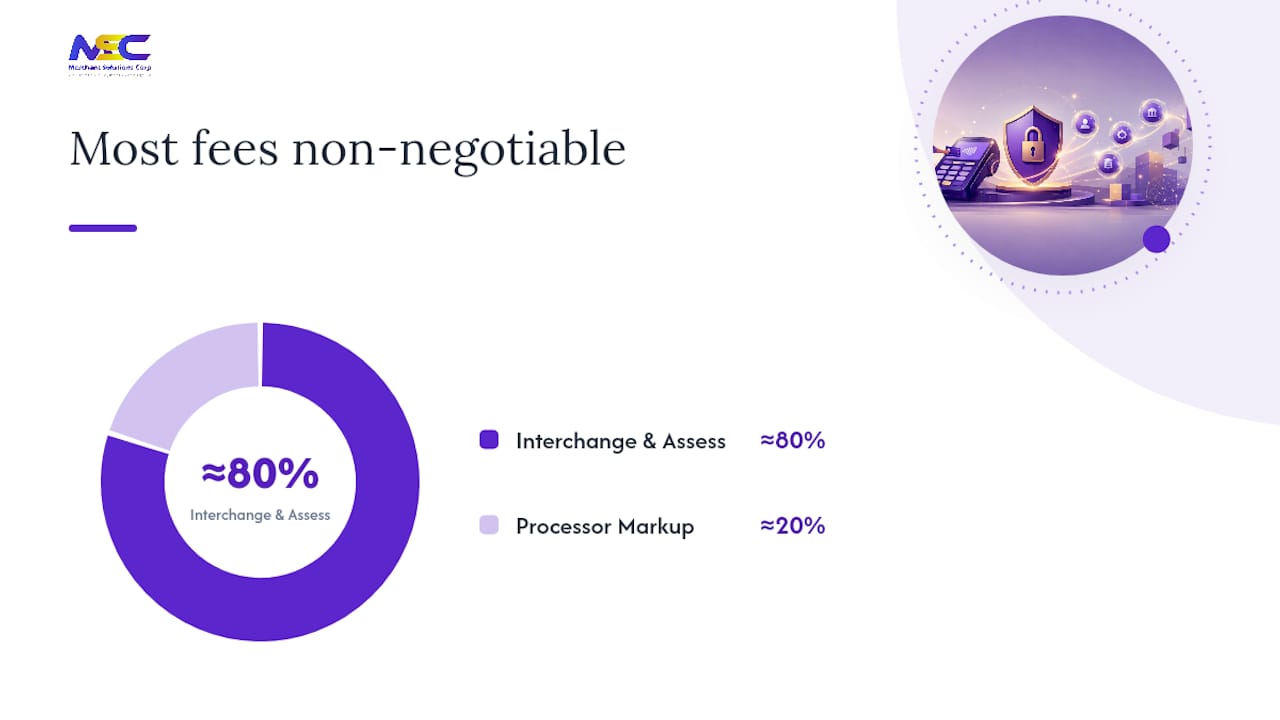
| Fees are mostly non-negotiable | Interchange and assessments make up roughly 80% of your effective rate; only the processor markup is negotiable. |
| PCI compliance is ongoing | Complete your annual SAQ to avoid monthly non-compliance penalties billed by your processor. |
| Merchantsolutionscorp | Offers transparent pricing, free hardware programs, and fast onboarding for standard and high-risk merchants. |
Table of Contents
- How does a merchant credit card transaction actually move money?
- What do you actually pay? Fee components and pricing models explained
- How do you choose the right pricing model and merchant account?
- What documents and timelines should you expect when applying?
- Which terminals, readers, and integrations fit your business?
- How do you reduce chargebacks, reserves, and PCI exposure?
- What Merchantsolutionscorp brings to your merchant account setup
- Merchantsolutionscorp gets your business processing faster
- Sources
- FAQ
How does a merchant credit card transaction actually move money?
Every card payment travels through three phases before funds reach your bank account: authorization, clearing, and settlement. Understanding where each phase happens tells you exactly where delays and fees enter the picture.
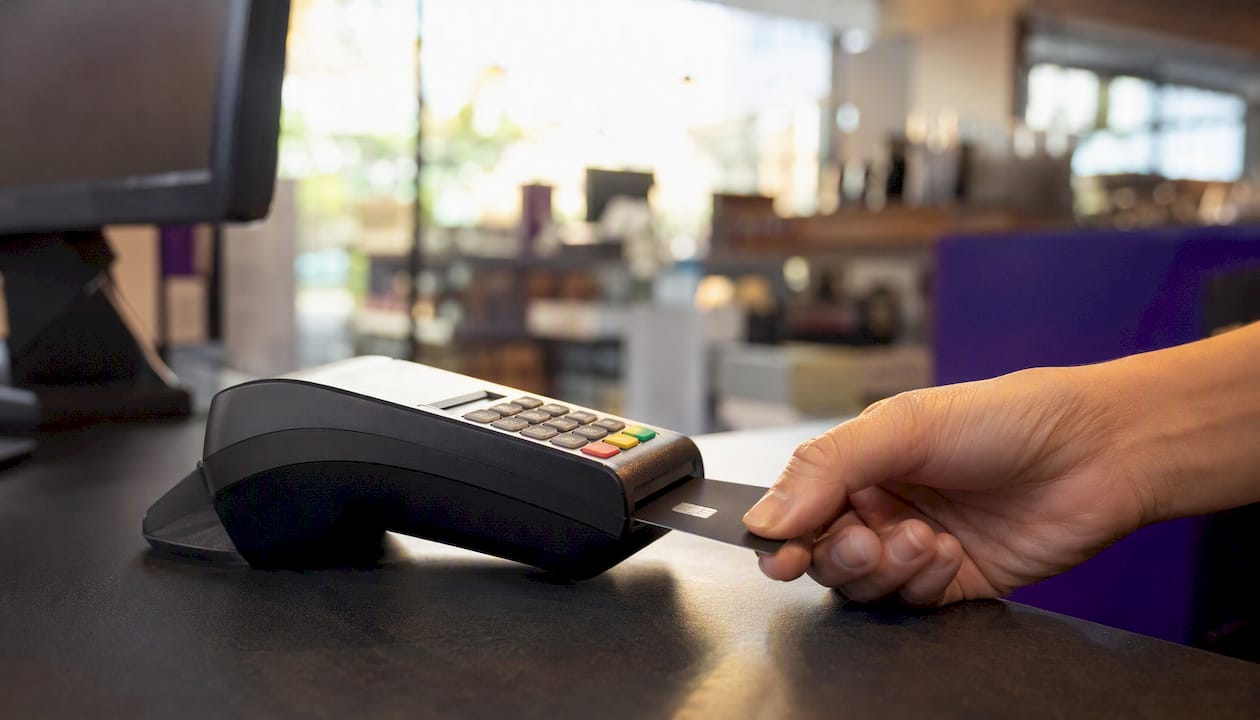
According to the US Chamber of Commerce, funds typically settle into a merchant’s bank account within 1–5 business days after the transaction is captured.
The five parties involved:
- Merchant — initiates the transaction at the point of sale
- Acquiring bank (acquirer) — your bank-side processor that submits transactions to the network
- Card network (Visa, Mastercard, Discover, Amex) — routes the transaction and sets interchange rules
- Issuing bank — the customer’s bank that approves or declines the charge
- Processor — the technology layer connecting acquirer to network
The three phases:
- Authorization: your terminal or gateway sends a request; the issuing bank approves or declines in seconds
- Clearing (batching): approved transactions are grouped and submitted to the network, typically at end of day
- Settlement: the acquirer transfers net funds (gross sales minus fees) to your business bank account
| Fee Type | Who Receives It | Set By |
|---|---|---|
| Interchange | Issuing bank | Card networks |
| Assessment | Card network | Card networks |
| Processor markup | Your processor | Negotiable |
Holds and rolling reserves appear at the acquirer level, triggered by risk factors like high chargeback ratios or processing in certain industries. The FDIC’s risk examination manual identifies chargebacks and reserve practices as primary risk areas acquirers monitor closely.
What do you actually pay? Fee components and pricing models explained
Processing fees have three layers: interchange, assessments, and processor markup. Practitioner analysis shows that interchange and assessments together account for roughly 80% of a merchant’s effective rate — and neither is negotiable. The processor markup is the only portion you can actually reduce.
Interchange varies by card type (rewards vs. debit vs. corporate), transaction method (card-present vs. card-not-present), and your merchant category code (MCC). A swiped debit card costs far less than a keyed-in premium rewards card. Assessments are small per-transaction fees the card networks charge on top of interchange.
| Pricing Model | How It Works | Best For |
|---|---|---|
| Flat-rate | Fixed % + cents per transaction, all card types blended | Startups, low or irregular volume |
| Interchange-plus | Interchange cost + fixed markup | Steady-volume merchants wanting transparency |
| Tiered | Transactions bucketed into “qualified/mid/non-qualified” tiers | Often obscures true costs |
| Subscription | Monthly fee + interchange at cost | High-volume merchants with predictable mix |
OnDeck’s analysis confirms that flat-rate pricing is predictable but often more expensive for established merchants, while interchange-plus offers transparency and negotiable markups. Tiered pricing is the model most likely to hide markups inside vague “non-qualified” buckets.
Pro Tip: Switch from flat-rate to interchange-plus when your monthly processing volume reaches a point where the savings on low-cost card types (regulated debit, for example) outweigh the added complexity of reviewing itemized statements.
How do you choose the right pricing model and merchant account?
Start with this decision rule: if you process steady volume, optimize for effective rate; if you’re a startup or seasonal business, optimize for speed and simplicity. Nav’s guidance reinforces that effective rate depends heavily on card type, transaction method, and processor markup — so your card mix matters as much as your volume.
Collect these inputs before shopping:
- Monthly processing volume (last 3–6 months if available)
- Average ticket size
- Percentage of card-not-present transactions (online, keyed, phone orders)
- Refund and chargeback history
- Your MCC (some categories carry higher interchange by default)
Contract items to compare before signing:
- Monthly account and statement fees
- Chargeback fees (typically $15–$25 per dispute, often non-refundable)
- PCI compliance fees and non-compliance penalties
- Early-termination fees and contract length
- Reserve clauses and funding cadence
- Batch and gateway fees for ecommerce
Pro Tip: Once you have 6 months of processing history, use your statements to calculate your actual effective rate (total fees ÷ total volume). That number is your negotiating baseline — processors know you can walk if the markup isn’t competitive.
What documents and timelines should you expect when applying?
The fastest path to accepting cards is a payment facilitator or aggregator — approval can be same-day or instant. A traditional merchant account takes longer but typically delivers lower long-term rates and more control over your funds.
Gusto’s merchant account guide outlines the standard requirements most providers ask for:
- Business bank account — required for settlement deposits
- EIN (Employer Identification Number) — confirms your business entity
- Business formation documents — LLC articles, DBA registration, or incorporation papers
- Processing history or financials — last 3 months of statements or business bank statements
- Website URL — required for ecommerce accounts; must include refund policy and contact info
- Government-issued ID — for the business owner or authorized signer
Typical timelines:
- Aggregators / payment facilitators: same-day to 24 hours
- Standard merchant accounts: 2–5 business days
- High-risk merchants: 1–3 weeks, depending on industry and underwriting depth
On reserves: Acquirers may hold a rolling reserve (typically a percentage of monthly volume) for new merchants, high-risk industries, or businesses with chargeback history. The FDIC manual notes that reserve practices are a standard risk-management tool at the acquiring bank level. Reserves are released on a rolling schedule, usually after 90–180 days of clean processing.
Which terminals, readers, and integrations fit your business?
Match your hardware to your transaction mix first. A restaurant with a counter and tableside service needs different equipment than a mobile contractor or an ecommerce-only brand.
Hardware options by use case:
- EMV countertop terminals (Ingenico, PAX, Dejavoo): standard for retail and restaurant counters; support chip, swipe, and NFC/tap-to-pay
- Mobile readers (paired with smartphones or tablets): ideal for contractors, market vendors, and delivery drivers
- Tap-to-pay on phone (SoftPOS): turns an NFC-enabled Android device into a terminal with no extra hardware
- Self-serve kiosks: reduce labor costs for quick-service restaurants and high-traffic retail; see POS kiosk options for configuration details
- Unattended terminals: parking, vending, and laundry applications
Integration checklist:
- POS software compatibility (Clover, Square, Skytab, Talech)
- Payment gateway vs. built-in PSP for ecommerce
- Accounting sync (QuickBooks, Xero)
- Tokenization for recurring billing and subscriptions
- Payment links for remote invoicing and online collection
On free hardware programs: $0 upfront hardware is real, but it usually comes with a multi-year processing agreement. Read the contract carefully — the hardware cost is recovered through your processing fees over the contract term. For specialty or event-based merchants, payment integrations for ticketed attractions show how niche POS setups handle admissions and mobile checkout in a single workflow.
How do you reduce chargebacks, reserves, and PCI exposure?
Active dispute management and clean transaction data cut costs faster than any pricing negotiation. Chargeback fees typically run $15–$25 per dispute and are often non-refundable — and when your dispute ratio climbs, card networks can place you in a monitoring program that triggers rolling reserves or higher pricing.
Operational controls that reduce disputes:
- Use clear, recognizable billing descriptors (the name customers see on their statement)
- Post refund and cancellation policies prominently, especially for ecommerce
- Collect AVS and CVV on all card-not-present transactions
- Pass Level 2/Level 3 data on corporate and purchasing cards to qualify for lower interchange
- Send shipping confirmation and tracking numbers promptly for physical goods
- Batch transactions daily to avoid authorization timeouts and downgrades
PCI DSS 4.0 compliance is not optional. Providers can bill monthly non-compliance penalties if your annual Self-Assessment Questionnaire (SAQ) is not completed. Complete it, store the certificate, and confirm your processor has it on file.
Pro Tip: For large invoices — HVAC jobs, B2B services, healthcare billing — ACH processing typically costs a fraction of card fees. Pair it with a cash discount program where legally permitted to reduce card volume on high-ticket transactions.

What Merchantsolutionscorp brings to your merchant account setup
Merchantsolutionscorp prioritizes transparent pricing, fast setup, and industry-specific support for small and mid-sized businesses across the US. The focus is on getting you approved, configured, and processing with minimal friction.
What’s included:
- Interchange-plus and dual-pricing options with clear fee disclosure
- Free hardware programs with $0 upfront on qualifying plans
- Support for high-risk and specialty merchants, including industries with elevated chargeback exposure
- POS systems across Clover, Square, Skytab, Talech, Dejavoo, PAX, Ingenico, and more
- ACH and eCheck processing alongside card acceptance
- Industry-specific payment setups for restaurants, retail, healthcare, and professional services
Integrations cover online ordering, self-serve kiosks, kitchen display systems, and ecommerce gateways — with onboarding support from application through daily operations.
Merchantsolutionscorp gets your business processing faster
Lower processing costs and a faster path to approval are the two things most SMBs want from a payment partner. Merchantsolutionscorp delivers both: transparent interchange-plus plans, $0 upfront hardware on qualifying accounts, and dedicated onboarding support that covers everything from underwriting documents to POS configuration.
The process is direct. Submit your business details, monthly volume, and processing history. Merchantsolutionscorp handles underwriting, configures your equipment, and connects your POS or ecommerce gateway. Most standard accounts are live within a few business days. High-risk merchants get specialized underwriting rather than an automatic decline.
Visit the payment processing solutions page to request a quote or start your application today.
Sources
- How Credit Card Processing Works: A Guide for Small Businesses | CO- by US Chamber of Commerce
- Credit card processing fees: 2026 guide for small businesses | OnDeck
- Risk Management Examination Manual for Credit Card Activities Chapter XIX
- Credit Card Processing Fees Explained: 2026 Guide
- What is a Merchant Account? A Guide for Small Business Owners
- Credit card processing fees explained | Nav
FAQ
What is a merchant credit card account?
A merchant credit card account is a business account that temporarily holds card-sale funds before transferring net proceeds to your business bank account. It’s the infrastructure that lets your business accept Visa, Mastercard, Discover, and Amex payments in person or online.
How long does it take to get approved for merchant processing?
Aggregators and payment facilitators can approve accounts same-day or within 24 hours. Traditional merchant accounts typically take 2–5 business days; high-risk merchants should expect 1–3 weeks depending on underwriting requirements.
What is interchange-plus pricing?
Interchange-plus pricing charges you the actual interchange rate set by the card network plus a fixed processor markup. It’s more transparent than flat-rate or tiered pricing and usually produces a lower effective rate for businesses with steady processing volume.
What triggers a reserve on a merchant account?
Acquirers impose rolling reserves when a merchant is new, operates in a high-risk industry, or has an elevated chargeback ratio. The FDIC identifies reserve practices as a standard risk-management tool; reserves are typically released on a rolling 90–180 day schedule after clean processing history is established.
How can Merchantsolutionscorp help high-risk merchants?
Merchantsolutionscorp offers specialized underwriting and dedicated high-risk merchant services for industries with elevated chargeback exposure or non-traditional business models, rather than automatic declines.