How to Choose the Right PCI SAQ for Your Business
How to Choose the Right PCI SAQ for Your Business
If your checkout is fully hosted and card data never touches your systems, you will usually file SAQ A. If terminals connect to your network or you key in cards through a virtual terminal, expect SAQ C-VT, C, or B-IP. If you store or electronically process cardholder data directly, plan on SAQ D. Confirm the exact match with your acquirer and the PCI Security Standards Council before you submit anything.
TL;DR:
- Most small merchants are best suited for an SAQ A if they outsource all card data processing and have no access to payment data on their systems.
- If any part of your environment connects to the internet or stores cardholder data, you likely qualify for SAQ C, B-IP, or D, depending on specific setup details.
- Proper scope mapping requires inventorying every payment channel, data flow, and system that processes or stores card data, considering hidden integrations and network configuration.
- Merely trusting vendor claims or assuming a hosted checkout means SAQ A can lead to errors; reassessment is necessary when adding new payment channels or systems.
- Successful PCI submission requires a complete package: the correct SAQ, signed attestation, a scan report if applicable, and documented justifications for any requirements marked as not applicable.
Table of Contents
- What Is a PCI SAQ and Who Has to File One?
- How Do You Find Where Cardholder Data Touches Your Systems?
- What Are the Different SAQ Types and What Do They Cover?
- Which SAQ Matches Your Payment Setup?
- What Mistakes Cause Merchants to Pick the Wrong SAQ?
- What Documents Do You Need to Submit for PCI Validation?
- How Does Merchant Solutions Corp Help With SAQ Selection?
- Practical Next Steps for Small Merchants
- Let Merchant Solutions Corp Simplify Your Compliance Path
- Authoritative PCI SSC Resources to Review
- Sources
- FAQ
What Is a PCI SAQ and Who Has to File One?
A PCI Self-Assessment Questionnaire (SAQ) is the merchant self-validation path for proving PCI DSS compliance. It exists because the PCI Security Standards Council does not require every business to undergo a full Report on Compliance (ROC), which involves an outside Qualified Security Assessor auditing your entire environment. Most small and mid-sized merchants, and many SAQ-eligible service providers, validate through an SAQ instead.
The PCI Security Standards Council confirms that SAQs are validation tools built specifically for entities that don’t need a full ROC, which covers the vast majority of businesses reading this. A ROC generally applies to larger transaction volumes or environments payment brands flag for stricter oversight.
Completing an SAQ isn’t a one-form job. You need three pieces together:
- The correct SAQ document itself, filled out honestly against your actual environment
- A signed Attestation of Compliance (AOC), which is a formal statement that you completed the assessment and understand your obligations
- An Approved Scanning Vendor (ASV) scan report, required for several SAQ types where any part of your network touches the public internet
Skipping any one of these three pieces means your submission isn’t complete, regardless of how carefully you answered the questionnaire.
How Do You Find Where Cardholder Data Touches Your Systems?
PCI scope is not about your business size. It’s about every place a card number, expiration date, or security code moves, gets processed, or gets stored. Before you can pick an SAQ, you need an honest map of that territory.
Work through this checklist in order:
- List every channel you accept payments through: in-person terminals, phone orders, online checkout, mobile ordering apps, kiosks.
- Trace the data flow for each channel from the moment a customer enters card details to the moment the transaction settles.
- Inventory every system that transmits, processes, or stores primary account numbers (PANs), including backup servers and log files.
- Note every integration, such as APIs, POS plugins, loyalty software, and reporting dashboards that pull transaction data.
A few things quietly expand scope more often than merchants expect: a POS terminal wired into the same network as your office Wi-Fi, checkout page elements you host yourself even when payment processing is outsourced, cloud backups that happen to capture transaction logs, and newer additions like online ordering portals or self-serve kiosks.
Network segmentation can shrink scope by isolating card-data systems from the rest of your network, but it only helps if it’s configured and tested correctly. A firewall rule nobody has verified in two years does not count as segmentation for SAQ purposes.
Pro Tip: Draw your payment flow on a single page, physically. Merchants almost always discover at least one forgotten integration, like an old reporting tool still pulling transaction data, the moment they see it mapped out visually.

What Are the Different SAQ Types and What Do They Cover?
Nine SAQ variants exist, and each one is built for a specific combination of technology and processing method. Here’s what each covers:
- SAQ A: Fully outsourced, card-not-present environments where you never handle, transmit, or store card data on your own systems. E-commerce merchants using a redirect or hosted iframe typically land here.
- SAQ A-EP: Also outsourced processing, but your website directly influences the payment page (a hosted iframe you control the surrounding page for, for example) without directly receiving card data.
- SAQ B: Standalone, dial-up, or standalone IP terminals with no electronic cardholder data storage.
- SAQ B-IP: Standalone, PTS-approved payment terminals with an IP connection to the payment processor, no other electronic storage.
- SAQ C: Payment application systems connected to the internet, with no electronic cardholder data storage.
- SAQ C-VT: Web-based virtual terminals, where staff manually key in card numbers through a browser, on an isolated device.
- SAQ P2PE: Merchants using only PCI-listed point-to-point encryption solutions, where hardware encrypts card data at the point of swipe or dip.
- SAQ SPoC: A newer category for merchants using PCI SSC-validated software-based PIN entry on commercial off-the-shelf devices, added to the SAQ family in 2023.
- SAQ D: Everyone else, both merchants and service providers, including anyone who stores cardholder data electronically or doesn’t fit the narrower criteria of any other SAQ.
The PCI SSC bulletin on SAQs for v4.0.1, published October 15, 2024, clarified eligibility wording across several of these categories, so an SAQ type you qualified for under an earlier version deserves a second look.
Which SAQ Matches Your Payment Setup?
Run through this screening flow before you touch the actual questionnaire:
- Does any part of your system store cardholder data electronically, even temporarily? If yes, you are almost certainly filing SAQ D.
- Is your checkout fully hosted by a third party with zero page elements you control? That points to SAQ A.
- Do you control any part of the hosted payment page’s code or embed a payment iframe? That’s SAQ A-EP territory.
- Are your terminals part of a PCI-listed P2PE solution with no other card acceptance method? Look at SAQ P2PE.
- Does staff key card numbers into a browser-based virtual terminal on an isolated computer? That’s SAQ C-VT.
- Are your terminals IP-connected with no other storage and no network exposure? Consider SAQ B-IP or SAQ C depending on internet connectivity.
A few concrete profiles make this less abstract:
- A quick-service restaurant using only P2PE-listed terminals for all transactions, with no other acceptance channel: SAQ P2PE.
- An online retailer using a fully hosted checkout redirect with no code on the payment page: SAQ A.
- A service business taking phone orders through a browser-based virtual terminal on a locked-down PC: SAQ C-VT.
- A multi-location retailer that stores transaction history in a custom database for loyalty tracking: SAQ D.
None of this replaces your acquirer’s final word. Screening tells you where to look; your acquiring bank and the applicable payment brand tell you what’s actually required.
What Mistakes Cause Merchants to Pick the Wrong SAQ?
The most common mistake is trusting a vendor’s marketing claim instead of scoping your own environment. A POS vendor might advertise “PCI compliant hardware,” but if that terminal connects to your general office network or the internet without proper segmentation, you remain responsible for the full scope, not just the terminal itself.
A second frequent error: assuming a hosted or redirect checkout automatically means SAQ A, without checking whether any page elements, scripts, or iframes on your own domain touch the payment flow. That distinction is exactly what separates SAQ A from SAQ A-EP.
Third, merchants forget to reassess after adding new channels. Mobile ordering apps, self-serve kiosks, or a new reporting integration can quietly pull a business into a broader SAQ category than the one they filed last year.
To avoid these traps:
- Document every scoping decision in writing, including why you excluded a system.
- Keep vendor attestations and P2PE listing confirmations on file, not just verbal assurances.
- Run a gap analysis against v4.0.1 wording any time your payment environment changes.
Pro Tip: Treat every new integration, even a “simple” reporting plugin, as a scope question first and a convenience second. Ask what data it touches before you approve it.
What Documents Do You Need to Submit for PCI Validation?
Filing an SAQ means assembling more than the questionnaire itself. Your acquirer will expect a complete package.
- The completed SAQ, matched to your validated type, with every applicable requirement addressed.
- The Attestation of Compliance (AOC), signed and dated, confirming the assessment reflects your actual environment.
- An ASV scan report, required whenever any system component has internet-facing exposure, submitted by an Approved Scanning Vendor.
- Documentation for any “Not Applicable” or “Not Tested” entries. According to PCI SSC’s SAQ D guidance for merchants, you must be able to justify why a requirement doesn’t apply, or your AOC risks rejection.
- A remediation timeline for any gaps found during self-assessment, kept on file in case your acquirer requests it.
Keep every version of these records. If your environment changes next year, you’ll want the prior submission as a baseline.
How Does Merchant Solutions Corp Help With SAQ Selection?
Merchant Solutions Corp builds payment environments designed to shrink the very scope this article walks through. That’s a deliberate strategy, not an accident.
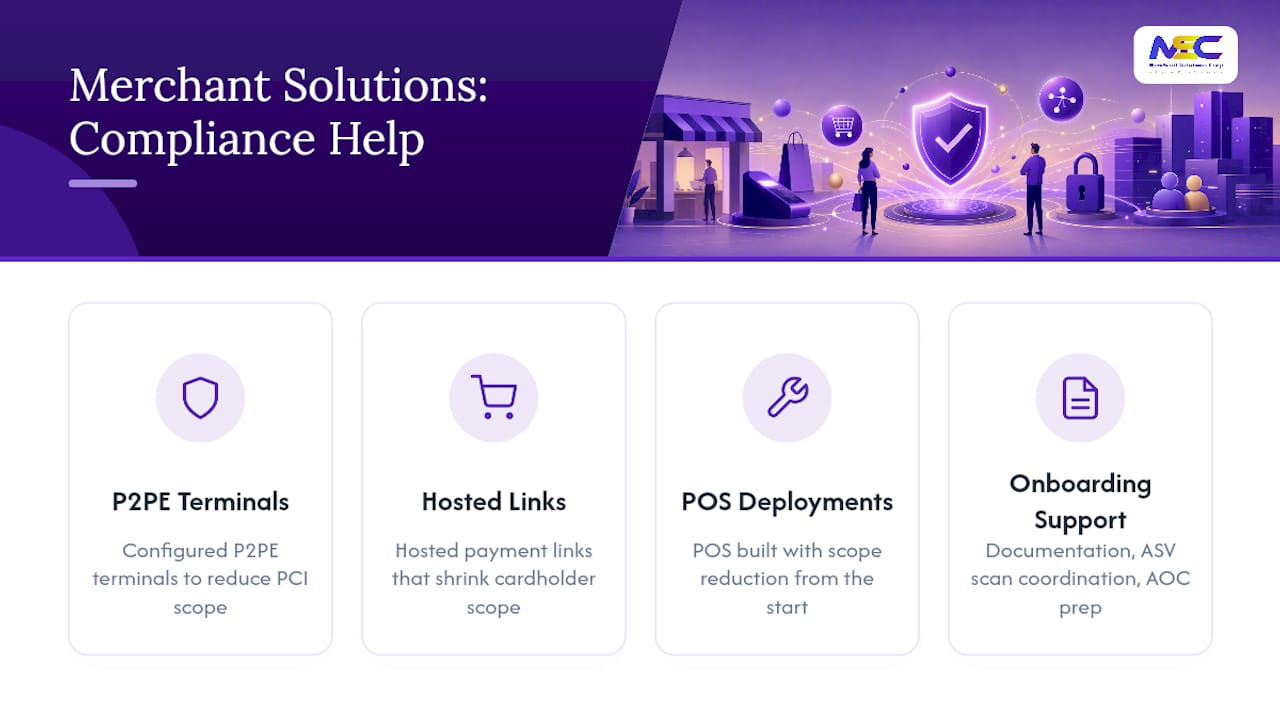
- PCI-listed P2PE terminal programs that keep encrypted card data off your broader network.
- Hosted payment and payment link options that remove card data from your systems entirely for many transaction types.
- Configured POS deployments across Clover, Square, and other platforms, set up to isolate payment functions from general business operations.
- Onboarding support that helps you organize documentation, coordinate ASV scans, and prepare a clean AOC package.
The practical payoff is a shorter, simpler SAQ. Merchants who move to P2PE-listed hardware or fully hosted checkout options often find themselves eligible for narrower SAQ types with fewer requirements to attest to, which means less time spent on the questionnaire and fewer controls to maintain year over year. Merchant Solutions Corp’s security and compliance practices are built around that same goal: reducing what merchants have to prove, not just helping them prove it.
Practical Next Steps for Small Merchants
Map every payment flow this week, not next quarter. Run the screening questions above against your actual setup, then call your acquirer with your findings rather than guessing alone. Document every vendor attestation you rely on; verbal promises don’t survive an audit.
If your environment has changed in the last year, schedule a gap analysis now. Moving to P2PE-listed hardware or a fully hosted checkout is often the fastest way to shrink both your scope and your paperwork, and it beats discovering a mismatch after you’ve already signed an AOC.
— Jonathan
Let Merchant Solutions Corp Simplify Your Compliance Path
Merchant Solutions Corp gives you a faster route to a smaller PCI footprint than piecing together hardware and hosted checkout options on your own. Instead of guessing which terminals or integrations keep you in a narrower SAQ category, you get configured P2PE terminals, hosted payment links, and POS deployments built with scope reduction as the starting point, not an afterthought.
Onboarding support walks you through documentation, ASV scan coordination, and AOC preparation, so the paperwork doesn’t fall entirely on your shoulders. Whether you’re setting up a new location or replacing outdated terminals, request a payment processing and POS review to see exactly where your current setup stands and what a lower-scope configuration would look like for your business.
Authoritative PCI SSC Resources to Review
Confirm your SAQ selection against the primary source before you file anything.
- PCI SSC SAQ Instructions and Guidelines, including the decision table for common channels
- PCI DSS v4.0 SAQ D for Merchants (PDF)
- PCI SSC bulletin on SAQs for v4.0.1
Always confirm final eligibility with your acquiring bank after reviewing these documents.
Sources
- PCI Security Standards Council – Merchants
- PCI DSS v4.0 SAQ D for Merchants (PDF)
- PCI SSC bulletin: SAQs for PCI DSS v4.0.1
FAQ
What Are the Different Types of PCI SAQs?
There are multiple types, including A, A-EP, B, B-IP, C, C-VT, P2PE, SPoC, and D, each matched to specific processing methods and technologies, ranging from fully hosted checkouts (SAQ A) to environments that store cardholder data directly (SAQ D).
What Does SAQ Stand For in PCI?
SAQ stands for Self-Assessment Questionnaire, the merchant and service provider self-validation tool the PCI Security Standards Council uses for entities that don’t require a full onsite audit.
What’s the Difference Between a PCI ROC and an SAQ?
A Report on Compliance (ROC) is a formal audit conducted by a Qualified Security Assessor, typically required for larger merchants; an SAQ is a self-assessment most small and mid-sized merchants complete on their own.
Can I Complete PCI Compliance Myself?
Yes, most small and mid-sized merchants complete PCI compliance themselves through an SAQ, though you should confirm your specific SAQ type with your acquiring bank and consider vendor solutions, like configured POS systems from Merchant Solutions Corp, that reduce your scope beforehand.
What’s the Difference Between SAQ A and SAQ D?
SAQ A applies to fully outsourced, card-not-present setups with zero cardholder data on your systems, while SAQ D applies when you store card data electronically or don’t meet the narrower criteria of any other SAQ type.