Square Stand POS
A swiveling iPad countertop POS built for faster checkout and cleaner counters
Overview
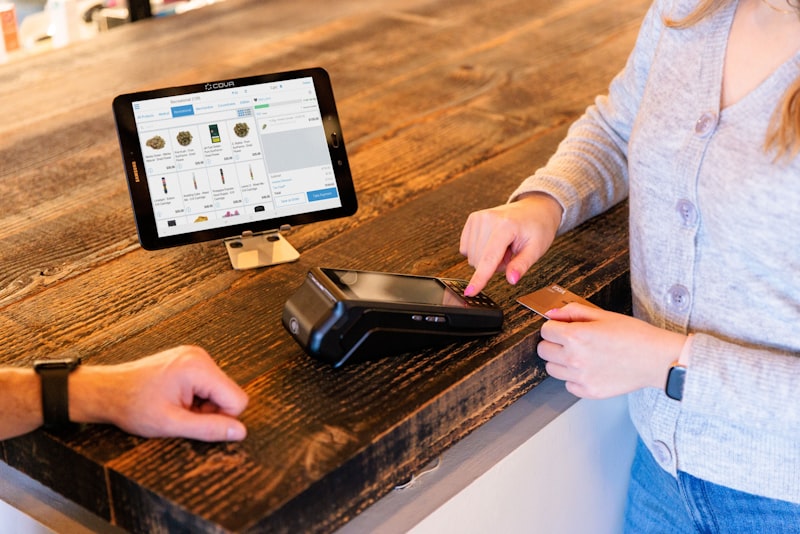
Square Stand is an iPad-based countertop point-of-sale setup designed for retail counters and cafes that want a simple checkout station without moving to a larger register.
It is built as a swiveling stand, so staff can ring up the sale and then turn the screen toward the customer to review and pay.
Square also states that it can continue taking offline payments and upload them after reconnecting within the required period.
Key Features
Swiveling Countertop Design
Rotate to face staff or customers for ordering, tipping, and payment.
Uses Compatible iPad (USB-C)
Turn a compatible iPad into a full countertop POS system.
Tap, Dip, and Swipe Payments
Built-in reader accepts all major card types and contactless payments.
Apple Pay and Google Pay
Accept mobile wallet payments seamlessly at checkout.
Offline Payment Support
Keep processing when internet drops. Syncs once connection returns.
Accessory Support
Connect printers, cash drawers, and barcode scanners.
Use Cases
Square Stand works well for:
Retail stores
Clean countertop checkout with swiveling customer display.
Coffee shops
Fast ordering and tipping on the customer-facing screen.
Quick-service restaurants
Simple order-and-pay at the counter.
Salons
Easy checkout for appointment-based businesses.
Front desk checkout
Professional reception and service desk setup.
Boutique stores
Sleek, modern POS for specialty retail.
Best For
Already use or want to use an iPad
Need a clean countertop checkout setup
Want a customer-facing swivel experience
Need accessory support without a full register
Want a lower-cost entry point
Pricing
Hardware from Square: starting at $149 or $14/month. No hidden fees, no locked-in contracts.
Square Free
The essentials your business needs to sell in-person, online, over the phone, or out in the field. Only pay when you take a payment.
per location
Processing fees
Flat Rate
Dual Pricing (0% Processing)
Customer absorbs processing fees at checkout.
What you get
Square Plus
Best ValueA full suite of features built specifically for food, retail, and appointment-based businesses. Designed to help you grow and thrive.
per location
Processing fees
Flat Rate
Dual Pricing (0% Processing)
Customer absorbs processing fees at checkout.
What you get
Square Premium
Our most advanced capabilities backed by 24/7 support. Built to streamline operations and help you scale with confidence.
per location
Processing fees
Flat Rate
Dual Pricing (0% Processing)
Customer absorbs processing fees at checkout.
What you get
Pros & Cons
Pros
Cons
Why Choose Square Stand
Choose Square Stand if you want a countertop POS that feels polished without overcomplicating setup. It is a strong fit for merchants who want a lighter hardware footprint than a full register but still need customer-facing checkout, accessory support, and reliable card acceptance.
Square also positions it as an intuitive, swiveling iPad POS for fast setup and day-to-day use.
Compare with:
How to Get Started
From signup to processing payments — we handle the heavy lifting so you can focus on your business.
Choose Your Pricing
Pick what works for your business
Apply in Minutes
No paperwork. No back and forth.
Subscribe or Purchase
Easy monthly payments in-house, which can convert to a free POS system after 60 days.
Watch Videos & Go Live
Or schedule an onsite installation.
After Our Go Live
Start taking payments immediately

AI-Powered Automation for Modern Businesses
Modern POS systems are no longer just payment terminals. Today's platforms combine payment processing, artificial intelligence, and automation to help businesses operate more efficiently and deliver better customer experiences.
Merchant Solutions integrates POS technology with AI-driven tools that automate customer communication, order management, and operational workflows.
These AI automations help businesses reduce labor costs, respond faster to customers, and capture more sales opportunities.
AI Phone Ordering
Voice AI can answer incoming calls and take customer orders automatically, sending them directly to the POS system.
This reduces missed calls during busy hours and increases revenue from phone orders.
AI Appointment Scheduling
Businesses such as salons, spas, and service providers can use AI to schedule appointments and confirm bookings automatically.
The AI assistant interacts with customers through phone or chat and updates the POS or scheduling system.
AI Voice Appointment Reservations
Voice AI can handle inbound reservation calls for restaurants, answering availability questions and booking tables in real time.
Customers call, the AI confirms the reservation, and it syncs directly with your POS or booking system — no staff intervention needed.
AI Customer Support
AI assistants can answer common questions about business hours, menu items, or services, reducing the workload for staff.
Customers receive instant responses while employees focus on operations.
AI Order Notifications
Automated messages notify customers when orders are received, prepared, or ready for pickup.
This improves communication and customer satisfaction.
AI Marketing Automation
POS systems collect customer purchase data, which AI tools use to generate targeted promotions and loyalty campaigns.
Businesses can automatically send offers and promotions based on buying behavior.
Upgrade Your POS with AI Automation
Voice AI Business Automation

Frequently Asked Questions
Explore the Square Lineup
Payment Solutions